Purpose: When you are uploading data via CSV file, you will sometimes need to upload data that contain Unicode characters. A good example of this would be uploading records that contain the Cyrillic alphabet. With excel, you will need to transform the Unicode characters into UTF-8 format
Transform Unicode to UTF - 8
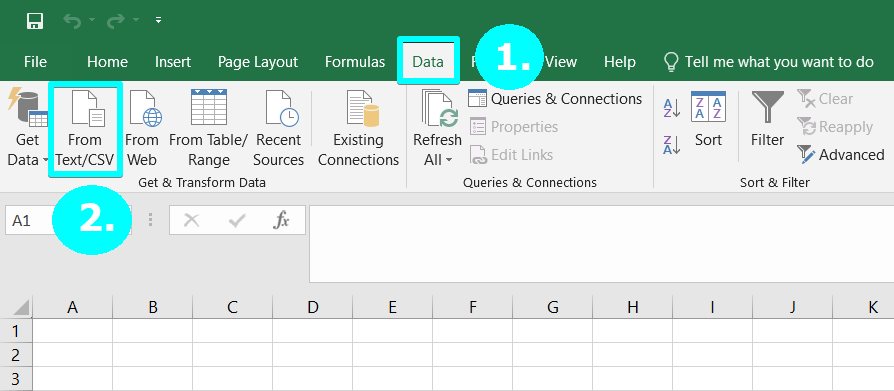
1. Open a blank excel sheet, and select Data
2. Import External Data by clicking on From Text/CSV button
3. Select your CSV file that contains the Unicode characters
4. Choose the dropdown next to File Origin and select UTF-8 or UTF-7 depending on what type of characters you are uploading. You'll see a preview of the file below it
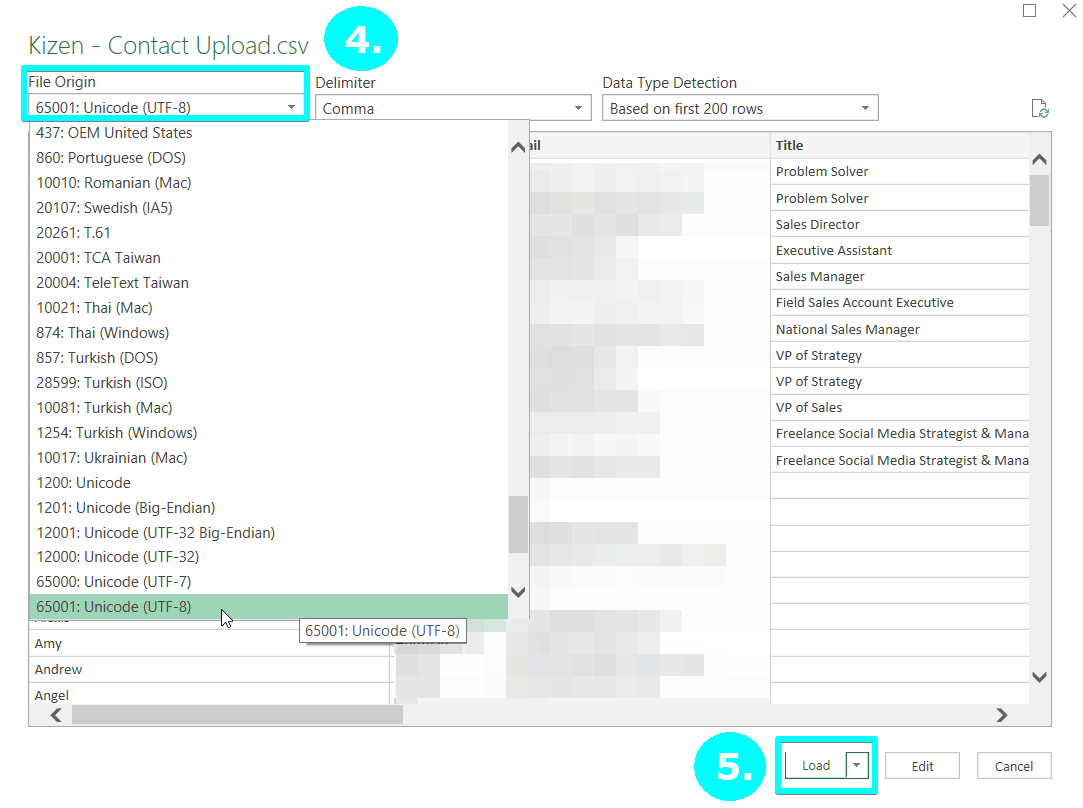
5. Select Load and proceed through the entire guided setup in the wizard
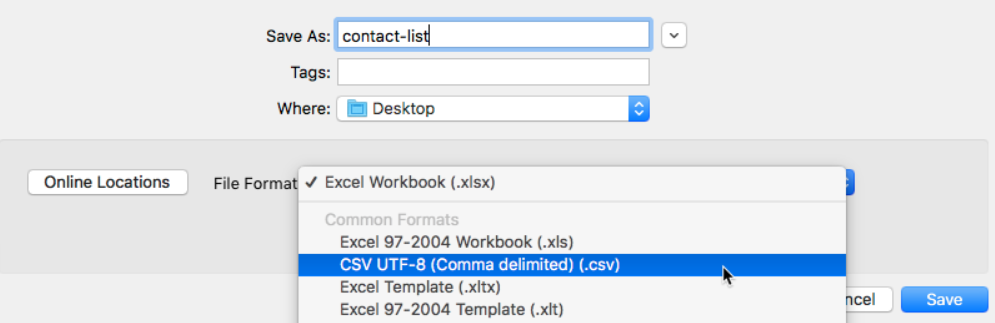
6. Save your file in CSV UTF-8 format
Was this article helpful?
That’s Great!
Thank you for your feedback
Sorry! We couldn't be helpful
Thank you for your feedback
Feedback sent
We appreciate your effort and will try to fix the article