Purpose: This guide explains how to customize the formatting of forms in Kizen using HTML blocks. Follow the steps to embed custom HTML, images, or videos into your form for a personalized layout
Navigate to a form and follow the steps below:
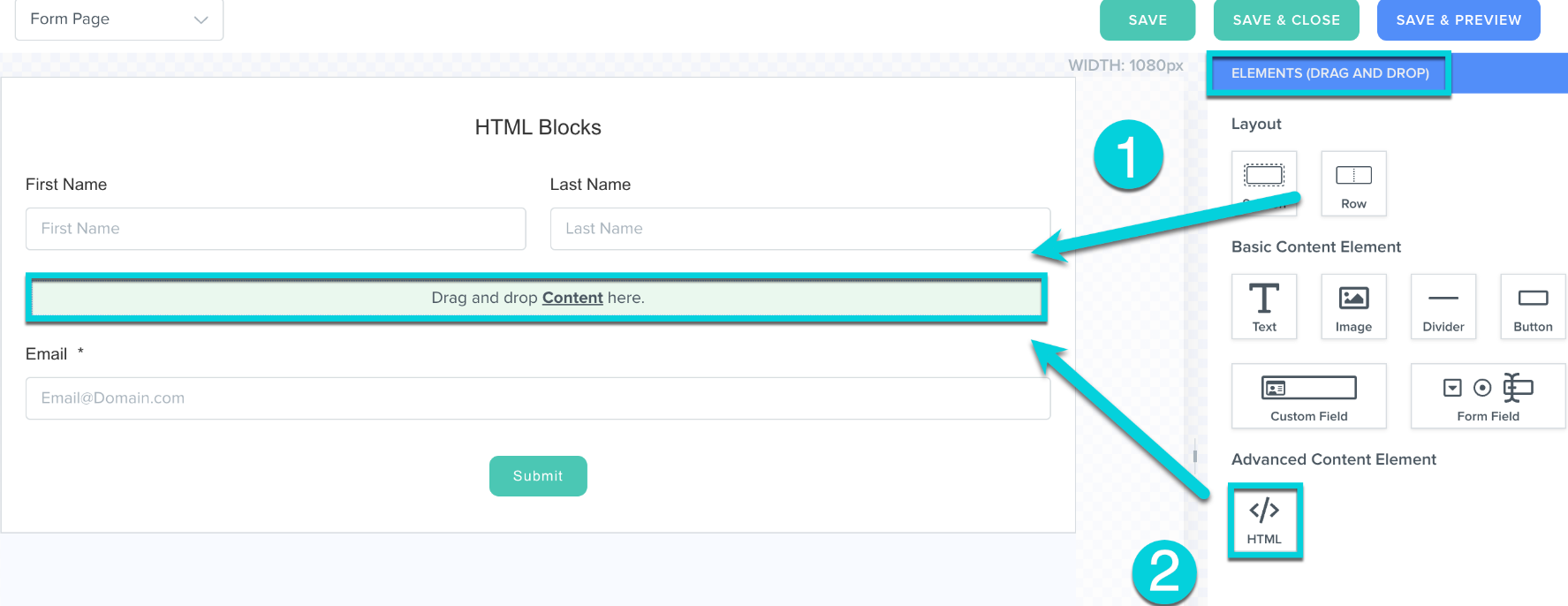
1. Add a Row to your Section
2. From Elements, drag and drop an HTML Block into the Row's Content
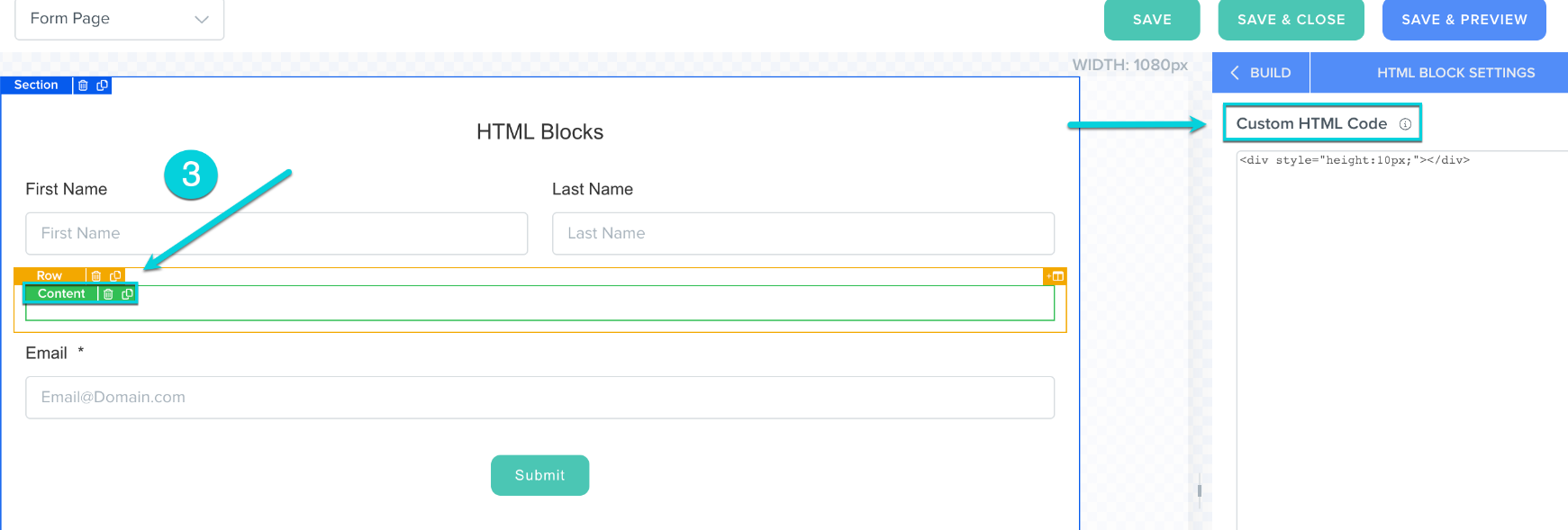
3. Click into Content to populate the editor for Custom HTML Code in the right bar
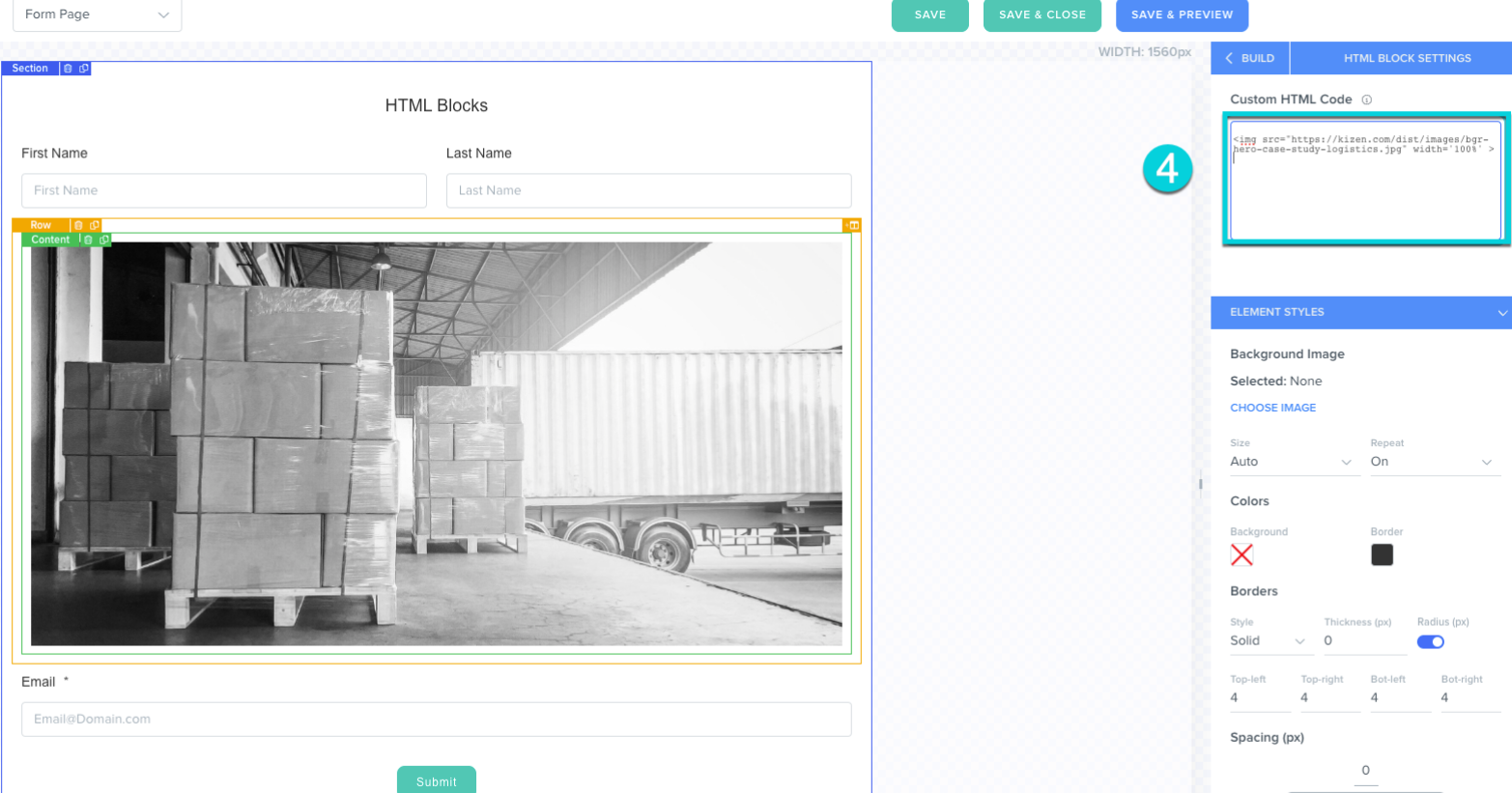
4. Paste in your embed code. Your image or video will immediately populate in the form
Preview Example:
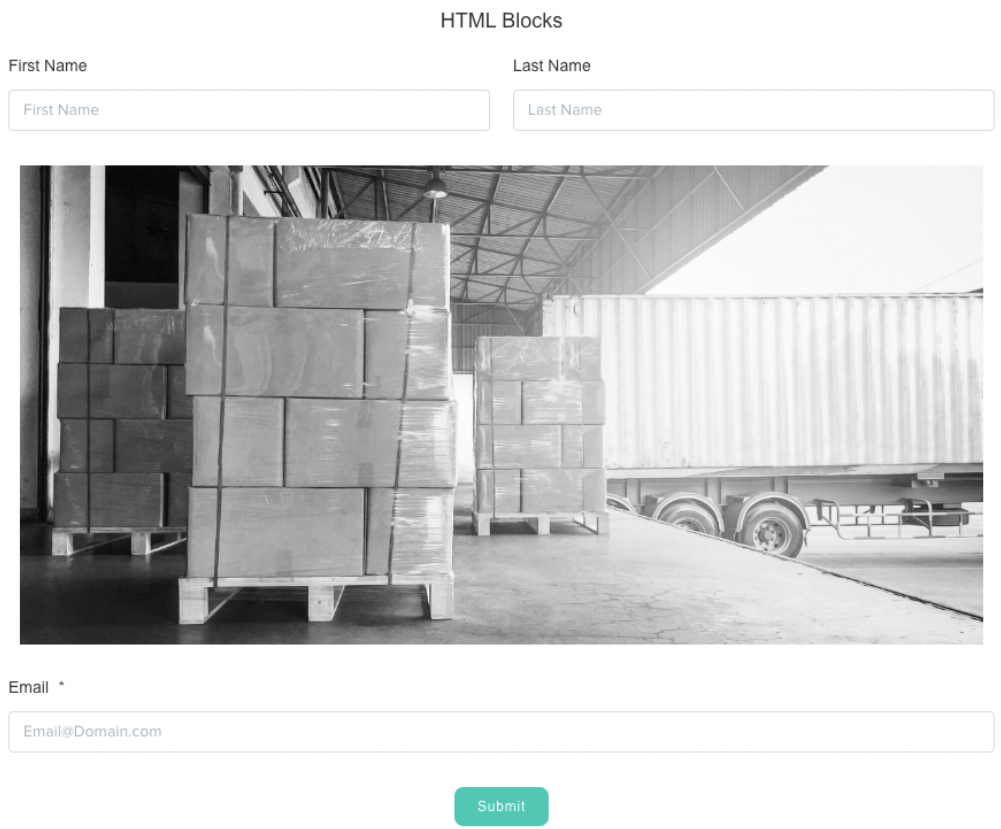
Hint: Click Save & Preview to see what your completed form will look like
Was this article helpful?
That’s Great!
Thank you for your feedback
Sorry! We couldn't be helpful
Thank you for your feedback
Feedback sent
We appreciate your effort and will try to fix the article