Difficulty: Beginner

Purpose: Learn what the Agentic Workflows that come in Kizen's Agent CRM product do and how they can help streamline your insurance agent workflows.
TABLE OF CONTENTS
- What are the Agent CRM Agentic Workflows?
- Agentic Workflow: 1A. Birthday Email
- Agentic Workflow: 1B. Birthday Reminder (5 Business Days in Advance)
- Agentic Workflow: 2. Send Fact Finder Form
- Agentic Workflow: 3. Send MA Survey
- Agentic Workflow: 4. Enrollment/Application Confirmation
- Agentic Workflow: 5. Active Policy Notification (On Effective Date)
- Agentic Workflow: 6A. Send NPS Survey
- Agentic Workflow: 6B. NPS Survey Follow-Up
- Agentic Workflow: 7. New Lead Workflow
- Agentic Workflow: 8. Send Scope of Appointment
- Agentic Workflow: Update Spouse (System Data Management)
- Agent CRM Agentic Workflow Best Practices
- Need Help?
What are the Agent CRM Agentic Workflows?
Kizen's Agent CRM comes with powerful Agentic Workflows that can help your clients stay top of mind through automated marketing, reminders, newsletters, and updates. By implementing these Agentic Workflows, you can minimize manual work, save time, and ensure none of your clients fall through the cracks — especially during a busy season like AEP!
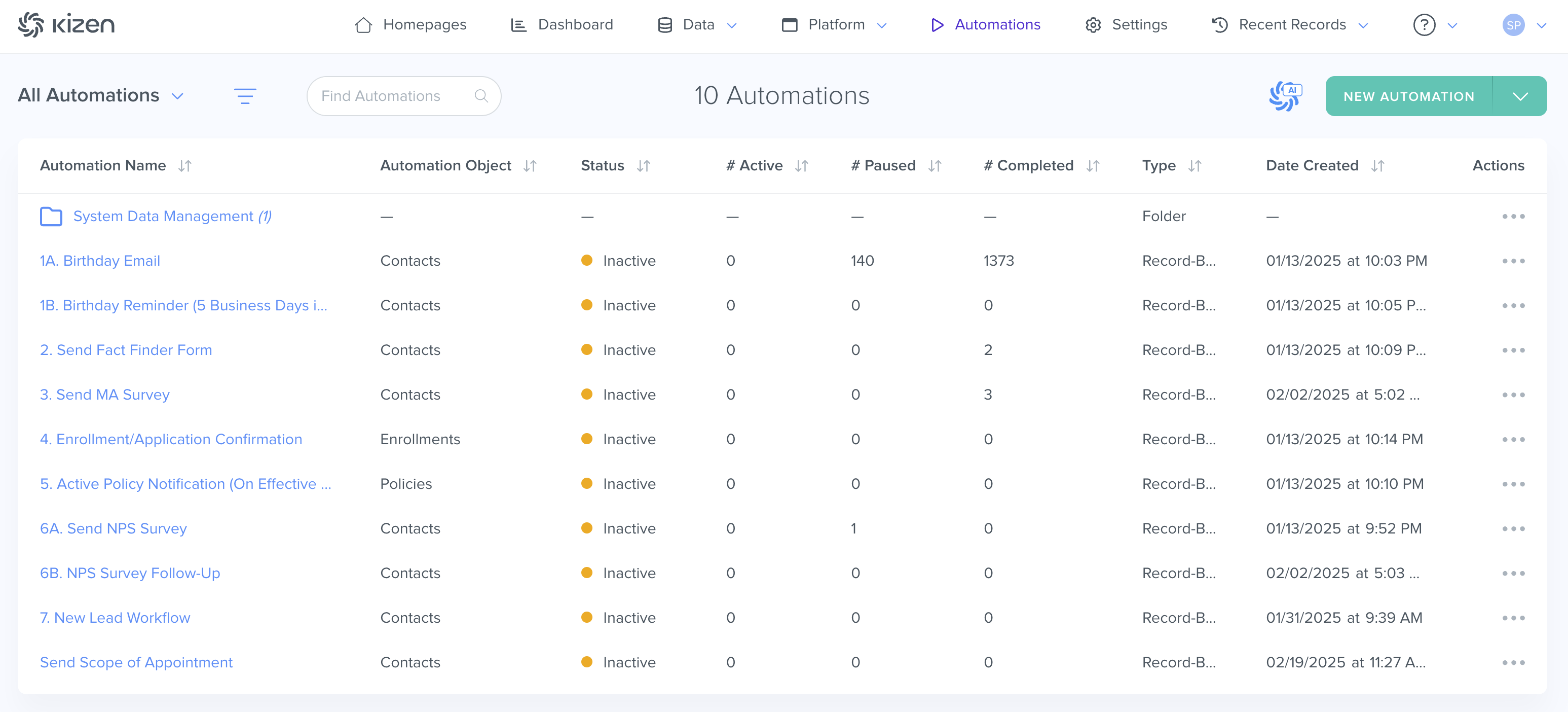
Tip: You can further customize these pre-built Agentic Workflows or deactivate them completely. Learn more about Kizen Agentic Workflowsutomations.Agentic Workflow: 1A. Birthday Email
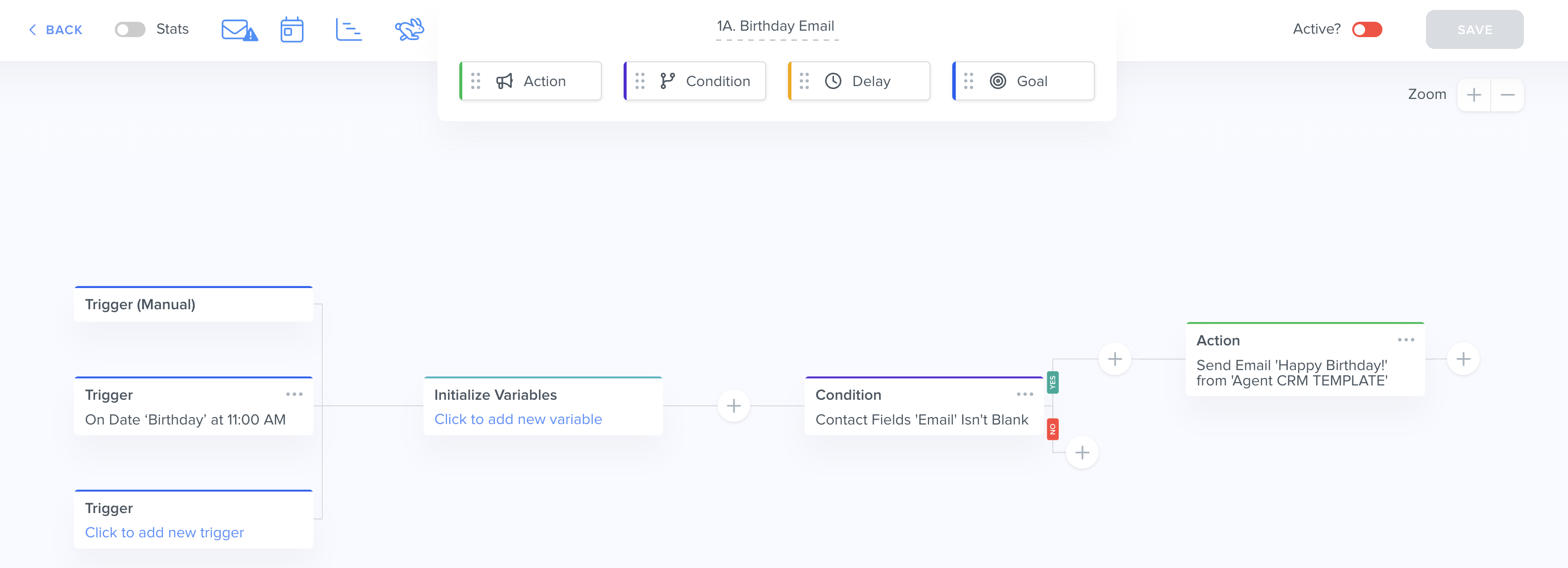
Agentic Workflow Object: Contacts
Trigger: On Date "Birthday" at 11:00 AM
Outcome: Sends "Happy Birthday" email template to the Contact's email address if the Contact's Email field isn't blank
What this Agentic Workflow does: Sending automated birthday emails is an easy and effective way to maintain a great relationship with your clients. The Birthday Email Agentic Workflow triggers on the month and day in the Contact record's "Birthday" Date field, at 11:00 AM in the timezone specified in your Business Settings. The Agentic Workflow first checks if the Contact has an email address in the Email column and if yes, it sends the "Happy Birthday" email template.
You can also add a Condition to filter out Contacts with a "dummy" email.
⚠️ Warning: Make sure to first connect and set up your Business Default email or the Integrated Inbox that you would like to send these emails from.Agentic Workflow: 1B. Birthday Reminder (5 Business Days in Advance)
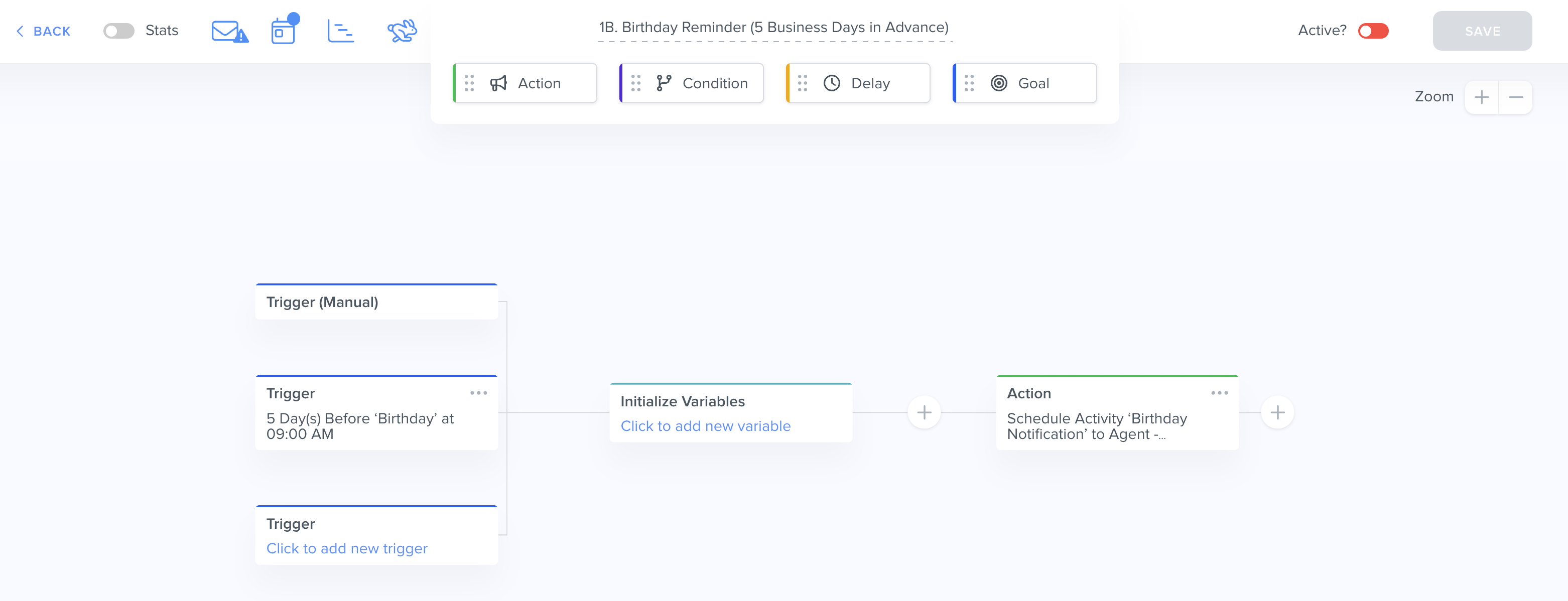
Agentic Workflow Object: Contacts
Trigger: 5 Days before "Birthday" at 9:00 AM
Outcome: Schedules "Birthday Notification" Activity and assigns to an Agent
What this Agentic Workflow does: While the birthday email Agentic Workflow is great for automatically sending emails, you may want to set up a notification before the big day, perhaps to send a physical card or to schedule a phone call. Five days prior to your client's birthday on the month and day in the Contact's "Birthday" field (at 9:00 AM in the timezone specified in your Business Settings), the Birthday Reminder Agentic Workflow schedules an Activity.
This Activity will then display on the "Scheduled Activities" dashlet on your Activity Dashboard where you can easily track all of your upcoming tasks.

Tip: Learn more about your Activities Dashboard here.Agentic Workflow: 2. Send Fact Finder Form
Agentic Workflow Object: Contacts
Trigger: Manual
Outcome: Sends "Send Fact Finder Form" email template to the Contact's email address
What this Agentic Workflow does: The Fact Finder form is a built-in solution to collect essential information about your clients that can feed directly back to your Agent CRM.
When manually triggered using the "Send Fact Finder" Button on a Contact record ...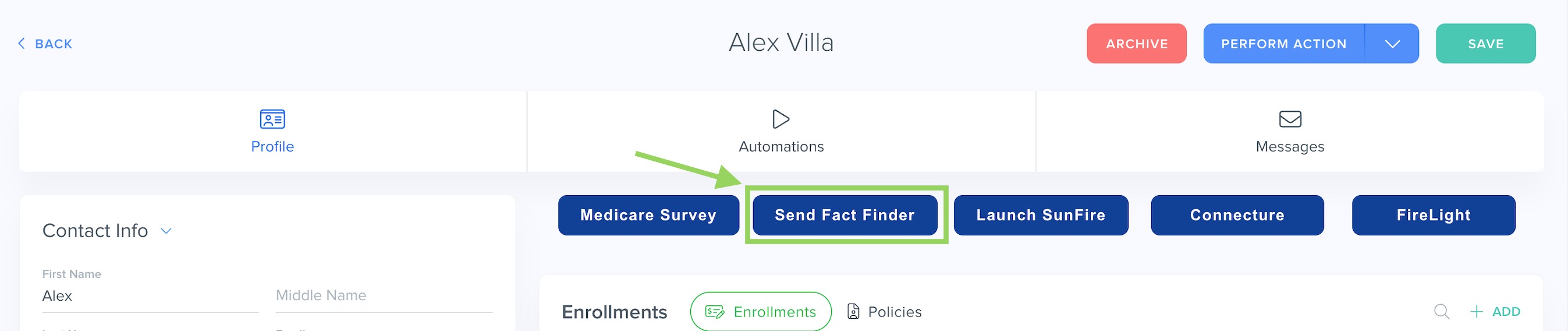
... this Agentic Workflow will send an email with the Fact Finder form link to the Contact's email address.
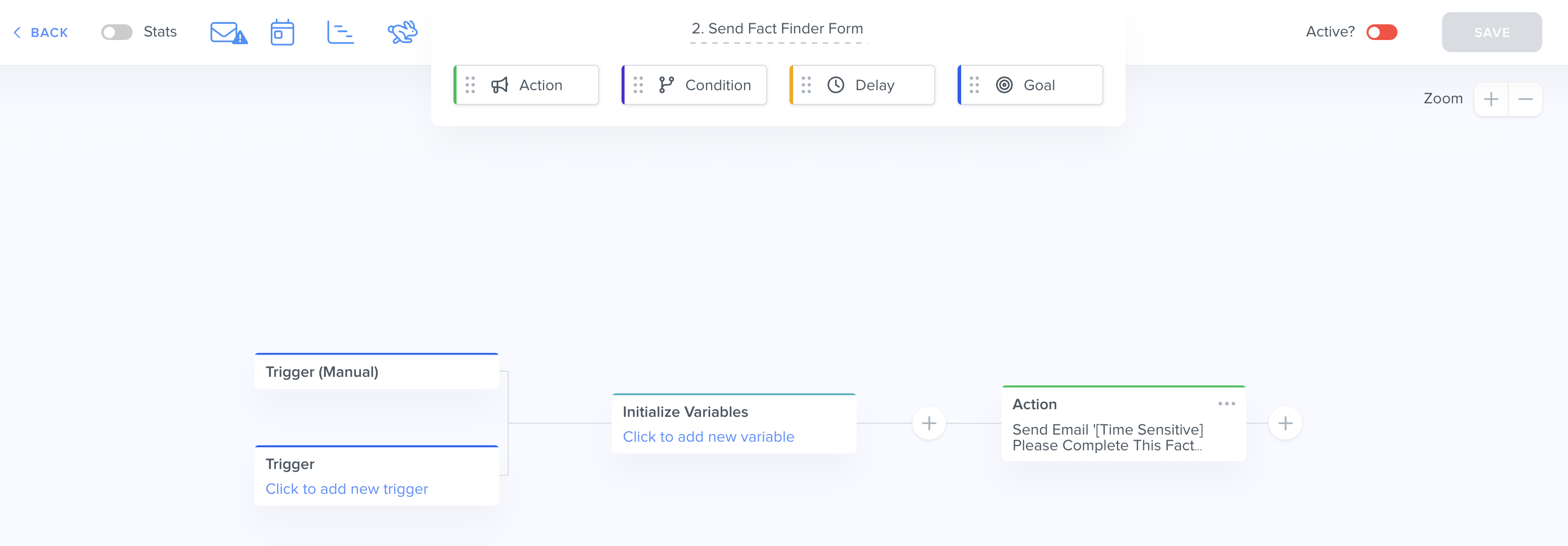
You can find and edit the Fact Finder Form by clicking on "Platform" in the top menu bar > Forms:

Agentic Workflow: 3. Send MA Survey
Agentic Workflow Object: Contacts
Trigger: Manual
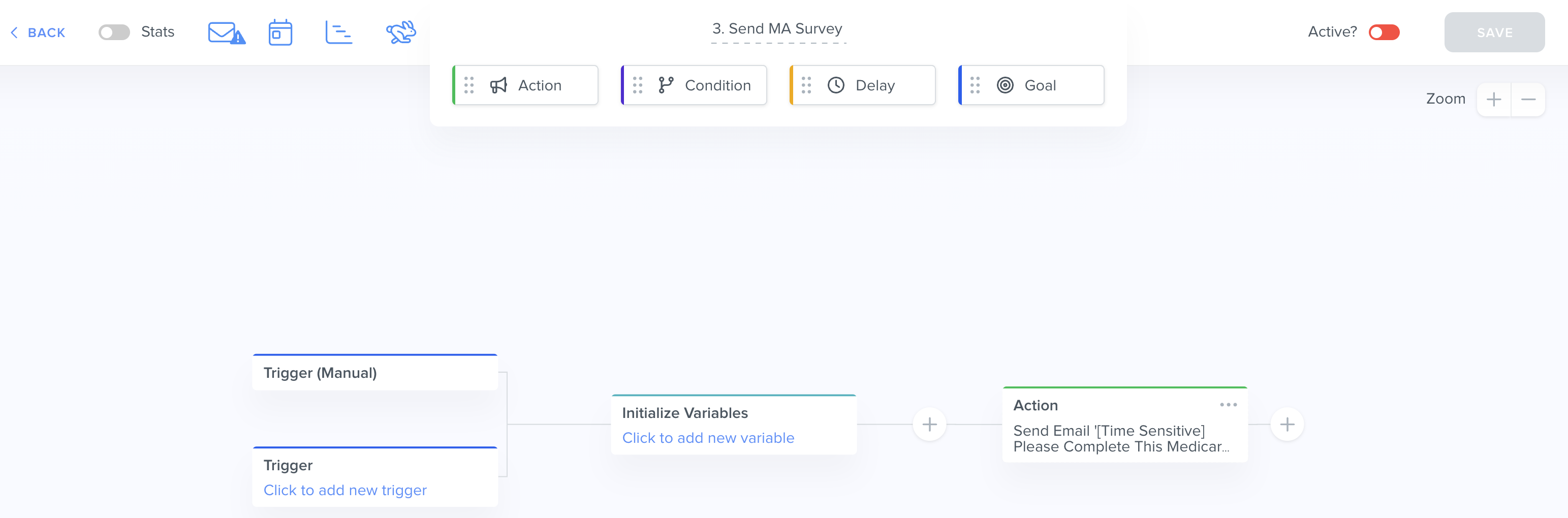
Outcome: Sends "[Time Sensitive] Please Complete This Medicare Survey" email template with Medicare survey link
What this Agentic Workflow does: Similar to the Fact Finder Agentic Workflow above, you can manually trigger this Agentic Workflow using the "Medicare Survey" button on a Contact card, and this Agentic Workflow will then send an email with a Medicare survey link to the Contact's email address.
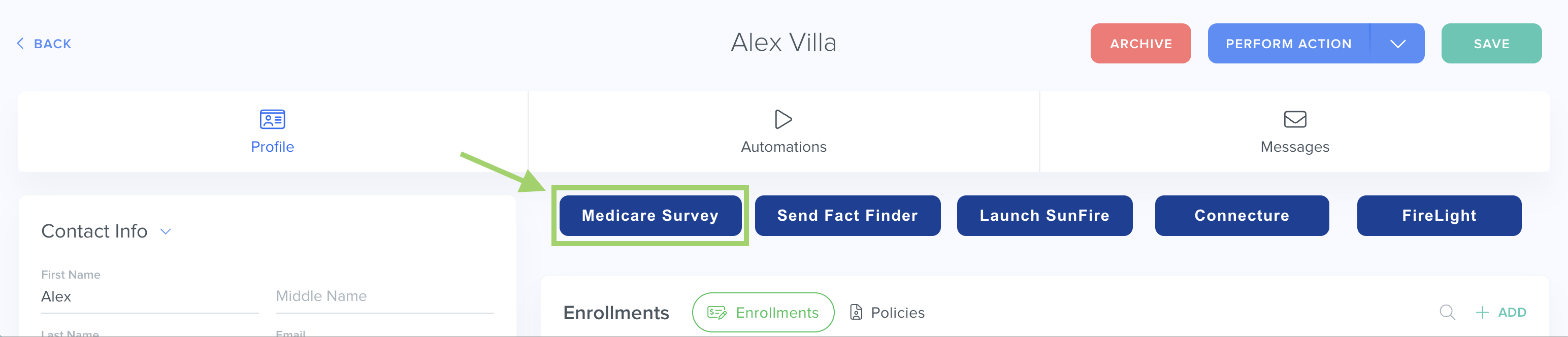
You can edit the Medicare Survey link in the email to your own personal link by going directly to the Agentic Workflow action > "View/Edit Email."
Agentic Workflow: 4. Enrollment/Application Confirmation
Agentic Workflow Object: Enrollments
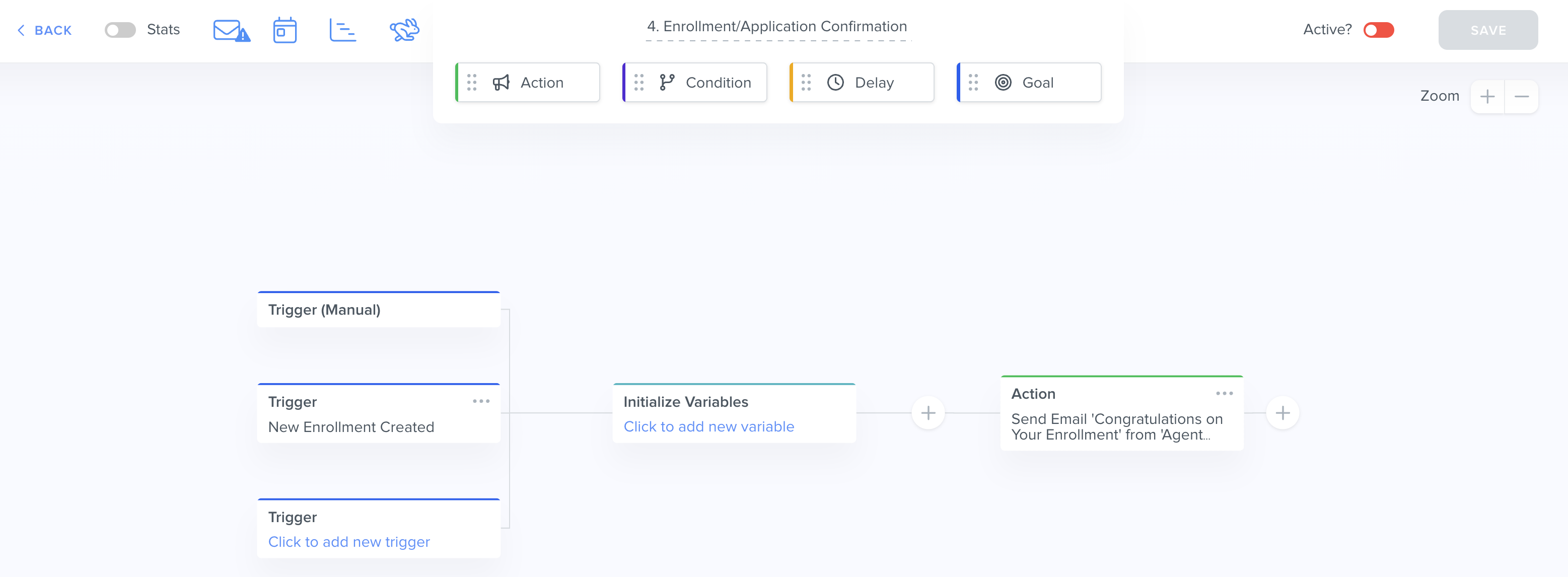
Trigger: New Enrollment Created
Outcome: Sends "[New] Enrollment Confirmation" email template to the related Contact
What this Agentic Workflown does: Whenever a new Enrollment record is created (typically via the SunFire integration or the Connecture integration), this Agentic Workflow will send a "Congratulations on Your Enrollment" email to the related Contact in the "Primary Applicant" field.
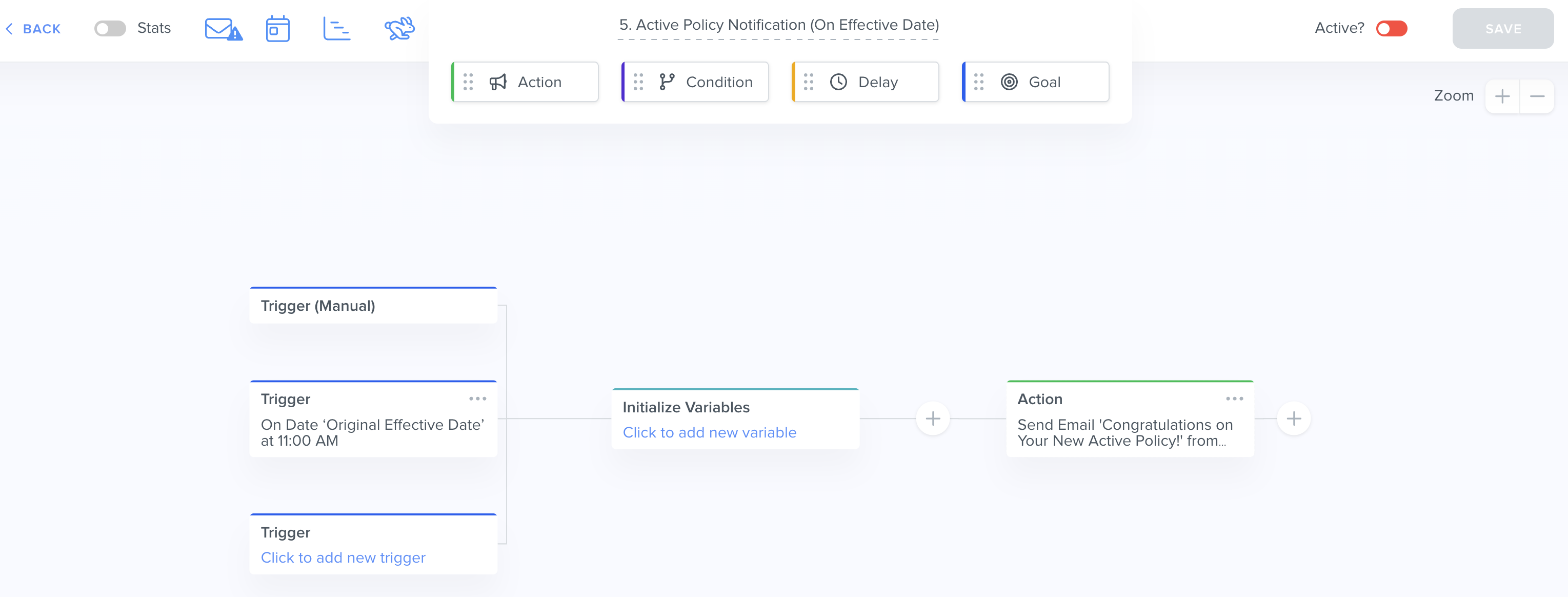
Agentic Workflow: 5. Active Policy Notification (On Effective Date)
Agentic Workflow Object: Policies
Trigger: On "Original Effective Date" at 11:00 AM
Outcome: Sends "[New] Congratulations on Your New Active Policy!" email template to the related Contact
What this Agentic Workflow does: When the date in the "Original Effective Date" field of a Policy record arrives at 11:00 AM (in the timezone specified in your Business Settings), this Agentic Workflow will send the "[New] Congratulations on Your New Active Policy!" email template to notify the client in the related Contact field that their policy is now active and their benefits are available.
Agentic Workflow: 6A. Send NPS Survey
Agentic Workflow Object: Contacts
Trigger: Manual
Outcome: Sends "Email with Link to NPS Survey" email template to the Contact's email address
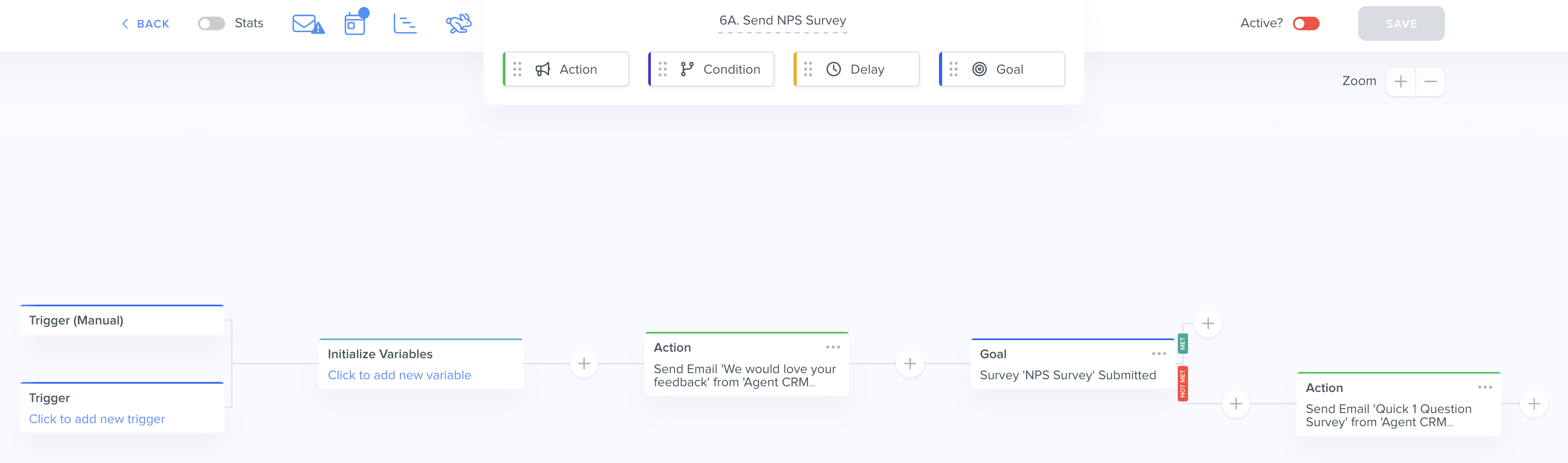
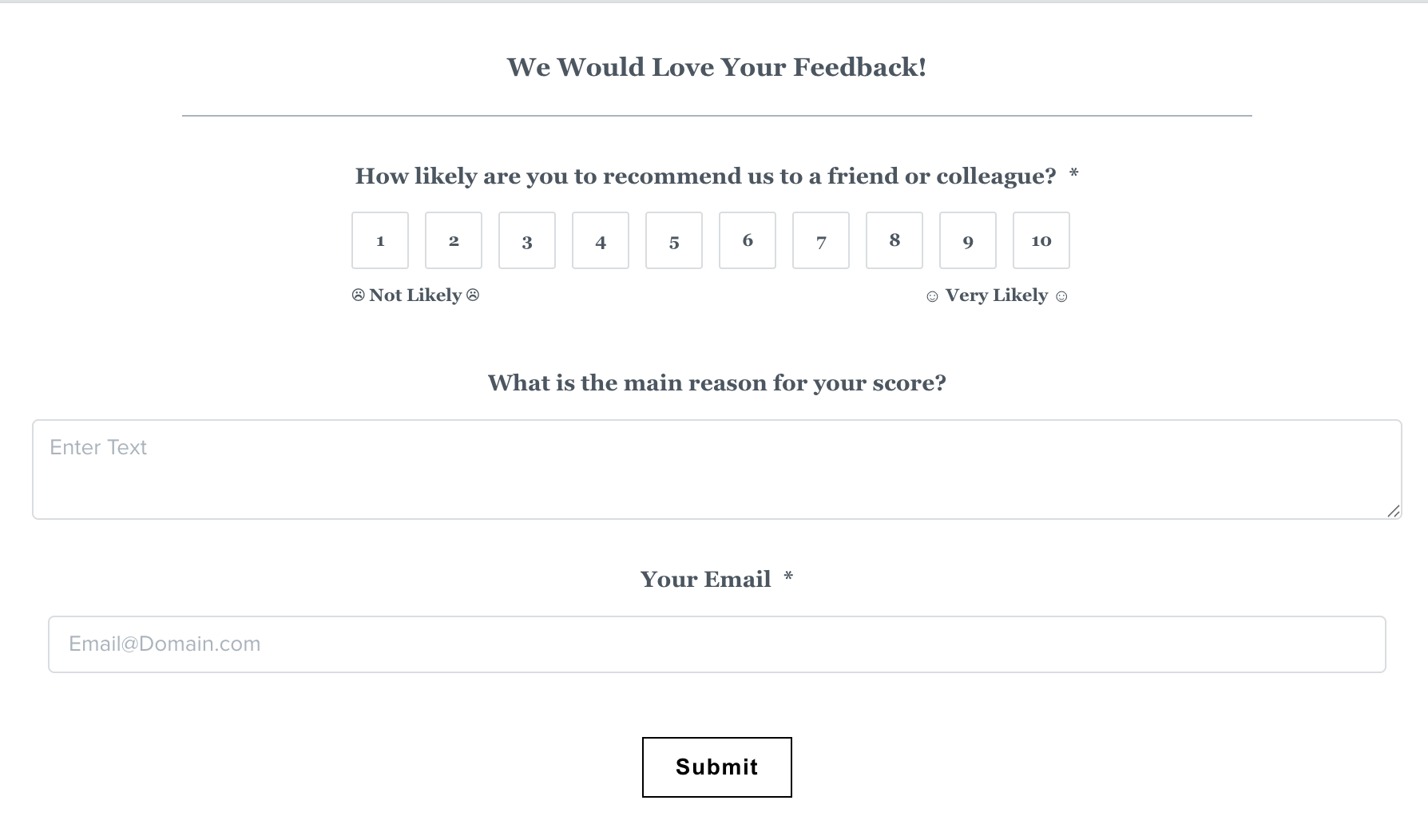
What this Agentic Workflow does: When manually triggered, this Agentic Workflow will send the "Email with Link to NPS Survey" email template with a link to a feedback survey. If the Contact does not meet the Goal of submitting the NPS Survey after 7 days, then the Agentic Workflow will send the "Email with Link to NPS Survey Version 1" email template with a link to the same feedback survey.
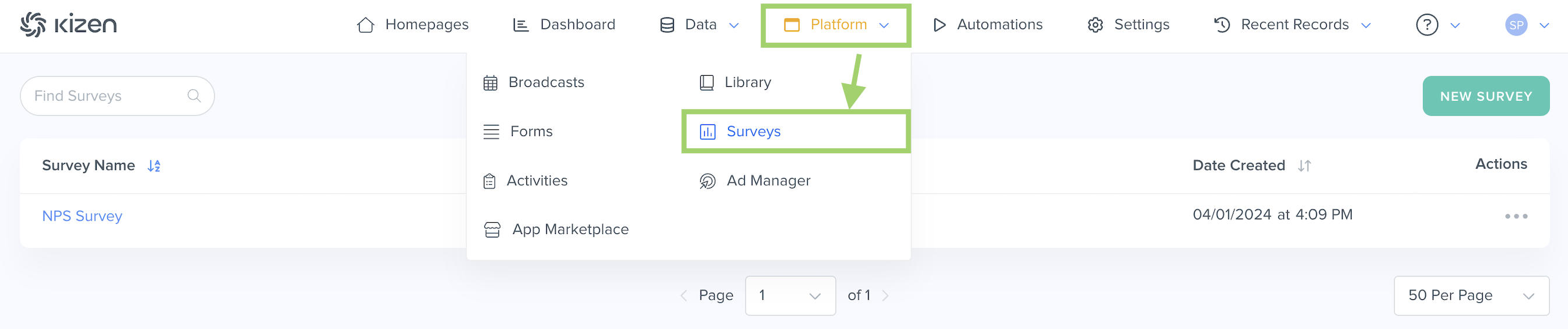
You can find and edit the NPS Survey by clicking on "Platform" in the top menu bar > "Surveys" > "NPS Survey":
Tip: Learn more about Surveys here.Agentic Workflow: 6B. NPS Survey Follow-Up
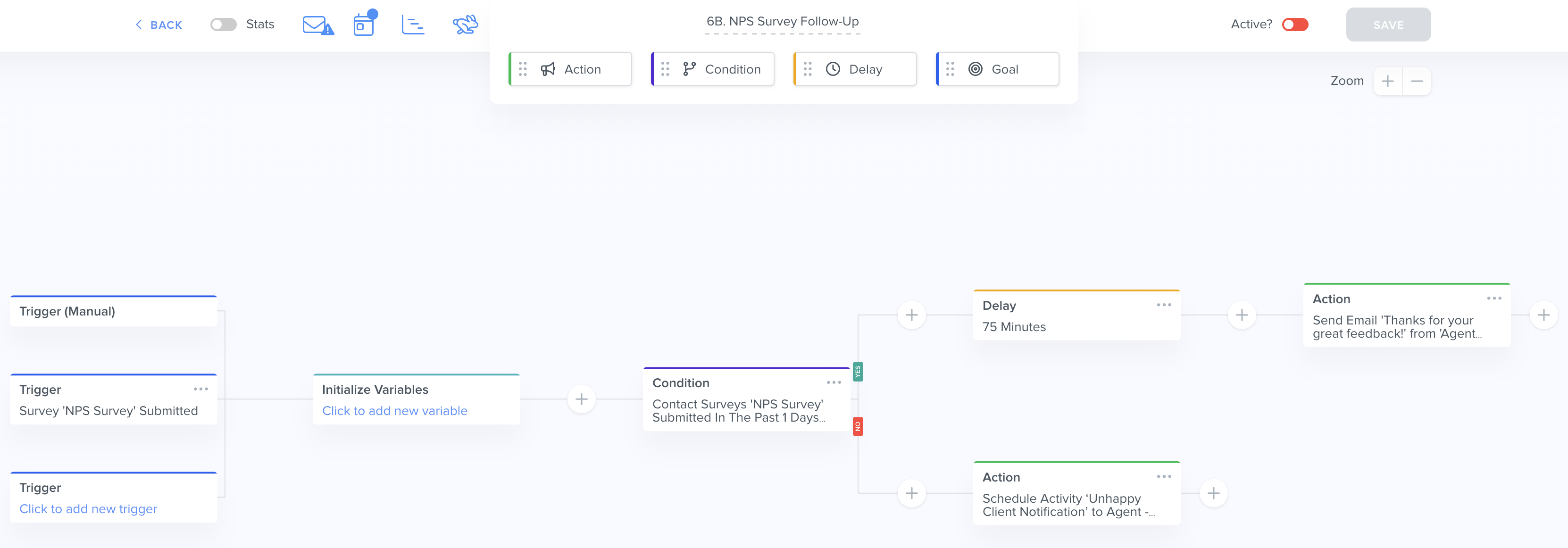
Agentic Workflow Object: Contacts
Trigger: "NPS Survey" submitted
Outcome: Sends an email to the Contact's email address thanking them for the feedback OR schedules an "Unhappy Client Notification" Activity, depending on the survey score.
What this Agentic Workflow does: When a NPS Survey is submitted, this Agentic Workflow will check if the answer to the survey question "How likely are you to recommend our Agency to a friend or colleague?" — if the score is greater than or equal to 8, the Agentic Workflow will wait 75 minutes and then send an email to the Contact's email address thanking them for the feedback. If the score is less than 8, the Agentic Workflow will schedule an "Unhappy Client Notification" Activity so that it displays in the "Scheduled Activities" dashlet on your Activity Dashboard, and you can choose to follow up with the Contact.
Agentic Workflow: 7. New Lead Workflow
Agentic Workflow Object: Contacts
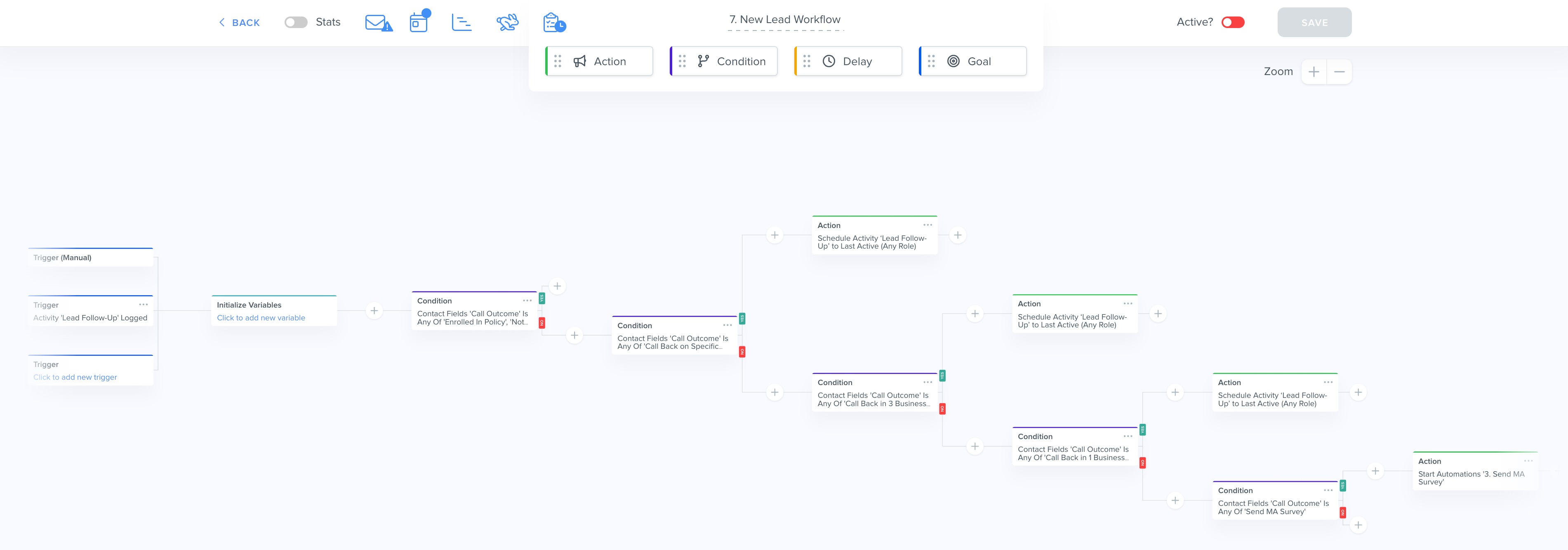
Trigger: "Lead Follow-Up" Activity logged
Outcome: Schedules another "Lead Follow-Up" activity for a later date if the Contact is still interested OR starts Agentic Workflow "3. Send MA Survey."
What this Agentic Workflow does: This Agentic Workflow ensures your leads don't fall through the cracks by automatically scheduling follow-up reminders to call your lead until you close the deal. When you complete your first "Lead Follow-Up" Activity with a prospect, the Agentic Workflow checks if the "Call Outcome" field is neither "Enrolled in Policy" nor "Not Interested," and schedules another "Lead Follow-Up" Activity for a specific date or specific number of business days to call the lead back. The Agentic Workflow will then go back to the beginning when you call your lead and log the Activity again, until the "Call Outcome" field is set to "Send MA Survey" which will trigger Agentic Workflow "3. Send MA Survey."
Agentic Workflow: 8. Send Scope of Appointment
Agentic Workflow Object: Contacts
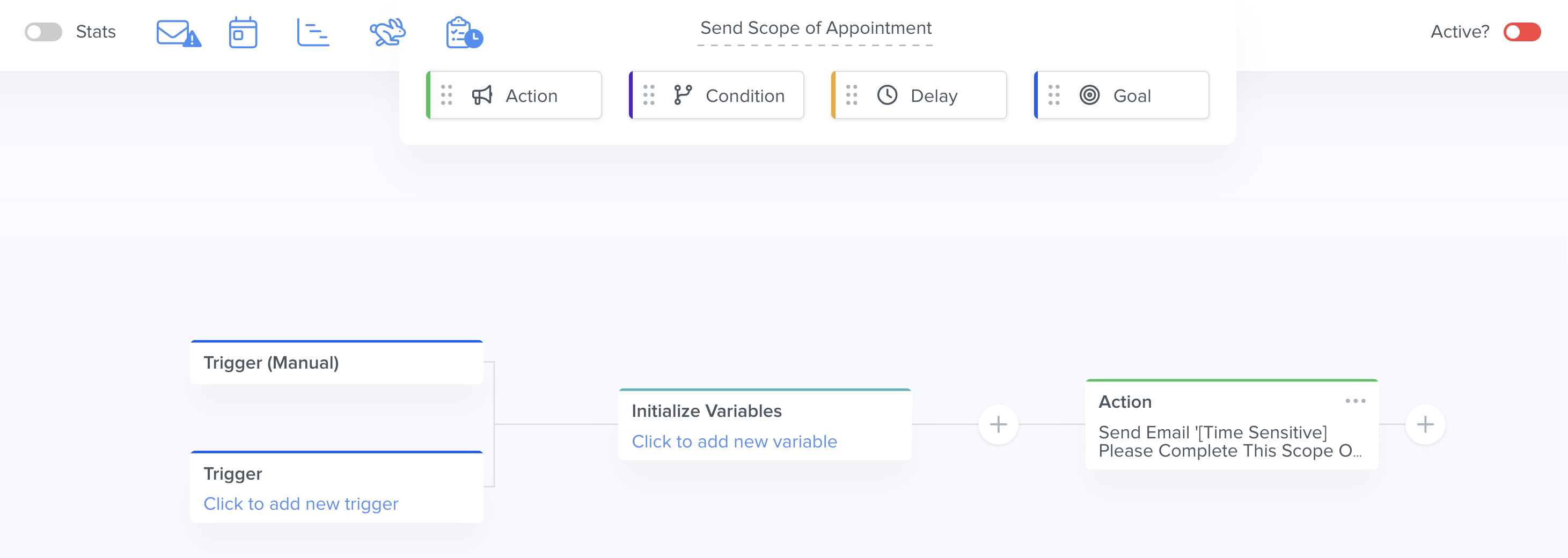
Trigger: Manual
Outcome: Sends "Email with SOA Link" email template to Contact's email address
What this Agentic Workflow does: When triggered manually from the Contact record, this Agentic Workflow will send the "Email with SOA Link" email template to the Contact's email address with a link to the "Scope of Marketing Appointment Confirmation Form."
You can find and edit the Scope of Appointment Form by clicking on "Platform" in the top menu bar > Forms:

Note: The Centers for Medicare and Medicaid Services requires agents to document the scope of a marketing appointment prior to any sales meeting to ensure understanding of what will be discussed between the agent and the Medicare beneficiary (or their authorized representative).Agentic Workflow: Update Spouse (System Data Management)
Agentic Workflow Object: Contacts
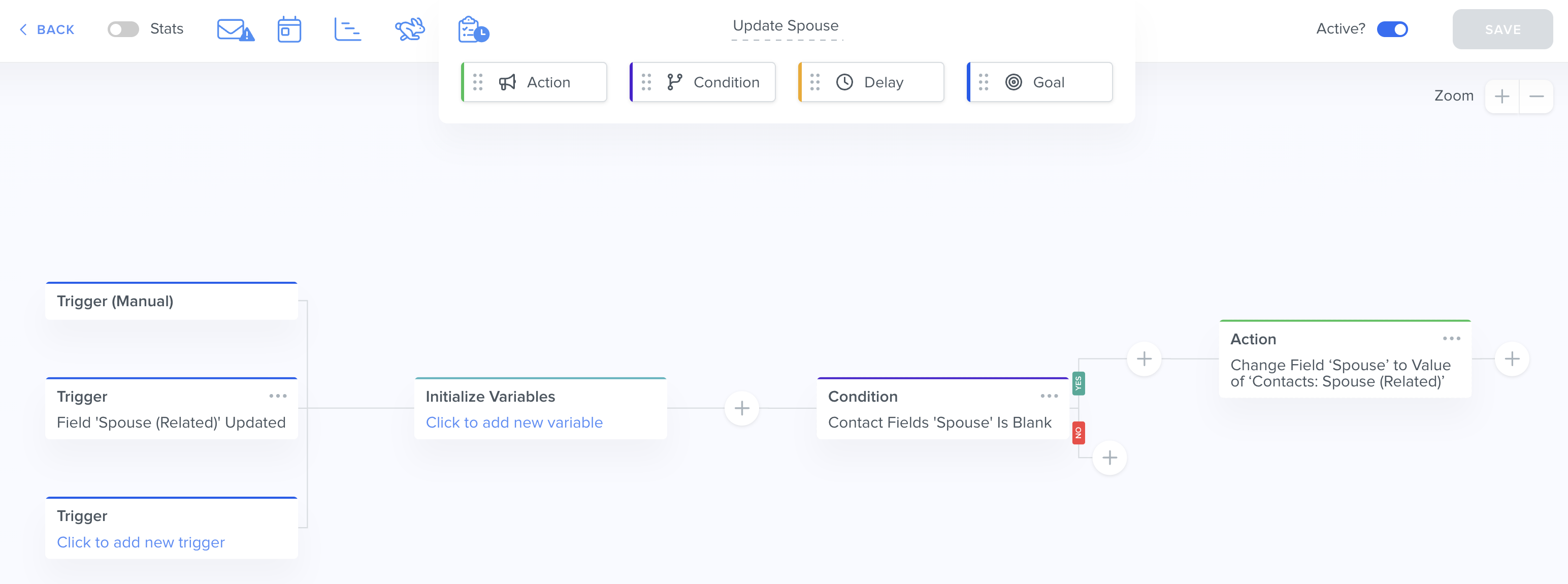
Trigger: "Spouse (Related)" Field Updated
Outcome: Changes the field "Spouse" to Value of "Contacts: Spouse (Related)" if the "Spouse" field is blank
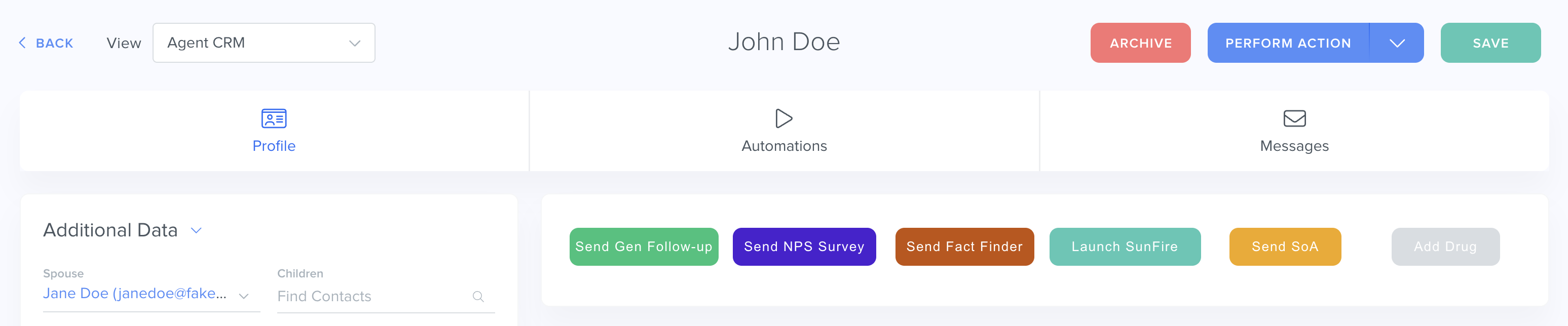
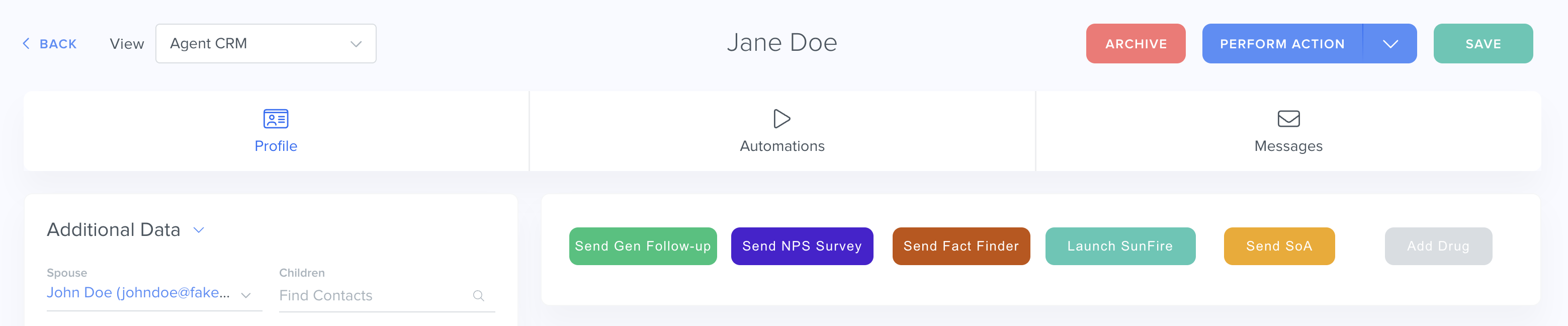
What this Agentic Workflow does: The "Spouse" field is a Relationship field (essentially connecting one Contact record to another Contact record) and its counterpart is the "Spouse (Related)" field, which may be a hidden field. This Agentic Workflow fills the value of the "Spouse (Related)" field into the "Spouse" field so that it's a much easier, simplified view for you to see the spouses in a single place.
For example, in John Doe's Contact record, if you were to fill "Jane Doe" in the Spouse field, this will automatically populate "John Doe" in the "Spouse (Related)" field in Jane Doe's Contact record:
Tip: Learn more about How To Send Communications To Contacts Who Share An Email.Agent CRM Agentic Workflows Best Practices
To confirm everything is working correctly:
- ✅ Make sure your Business Default email or the Integrated Inbox is connected successfully — your automated emails will not send otherwise.
- ✅ Make sure your Contacts' "Email Status" field is set to "Opted In" in order to receive these emails.
- ✅ Make sure these Agentic Workflows are toggled on to "Active." You can choose to deactivate any emails you don't want to use.
What's Next?
Now that you've learned all about the Agent CRM default Agentic Workflows, you can:
- Learn to create your own custom Agentic Workflows
- Learn to create your own custom Emails
Was this article helpful?
That’s Great!
Thank you for your feedback
Sorry! We couldn't be helpful
Thank you for your feedback
Feedback sent
We appreciate your effort and will try to fix the article