Purpose: Learn how to add an Agency to an existing Principal Agent using the "Existing Agent - Add As Principal to Agency (or Create)" Activity in your Kizen account's Contracting CoPilot workflow.
Overview
Every Agency in the *Agents & Agencies object requires the Principal Agent field to be correctly filled out, as this is the licensed individual who holds the contract with the carrier. If you need to add an Agency to one of your downline Agents' records, you can log the "Existing Agent - Add As Principal to Agency (or Create)" Activity.
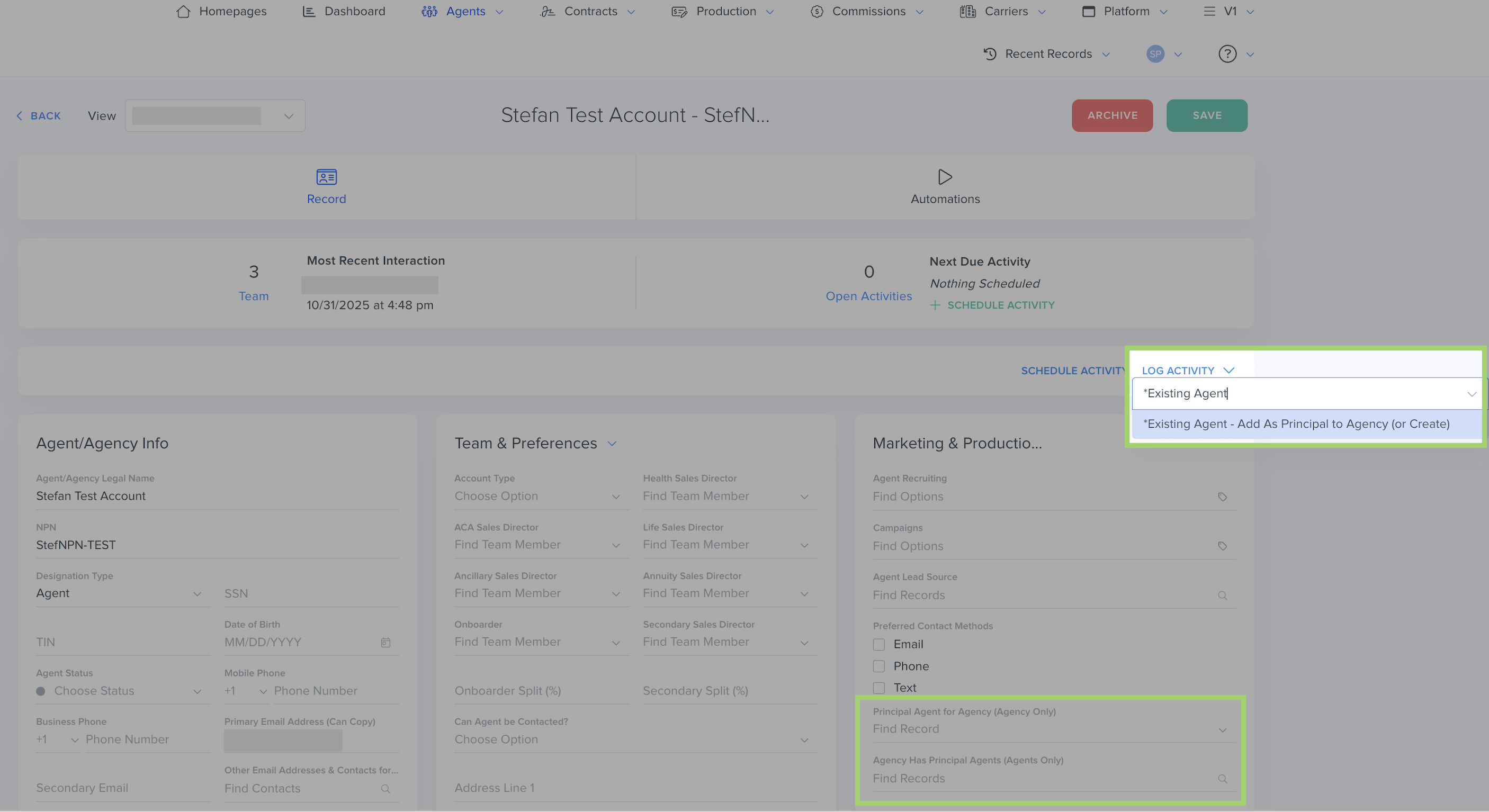
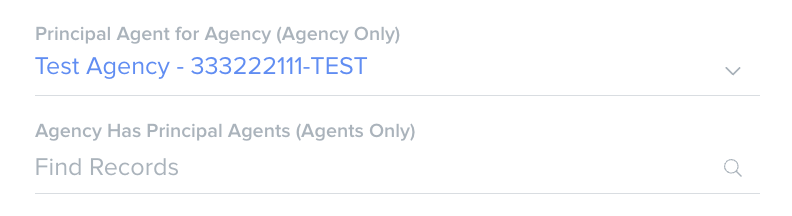
⚠️ Warning: An Agency record should only have the “Agency Has Principal Agents (Agents Only)" field filled out. An Agent record should only have the “Principal Agent for Agency (Agency Only)” field filled out. These fields are Relationship fields, so only one of the fields should be populated on each object record, depending on if you are viewing the agent's or agency's record.How to Add a New or Existing Agency to an Existing Principal Agent
- In the *Agents & Agencies object, search for the specific Agent record. (Make sure the "Designation Type" field is set to "Agent."
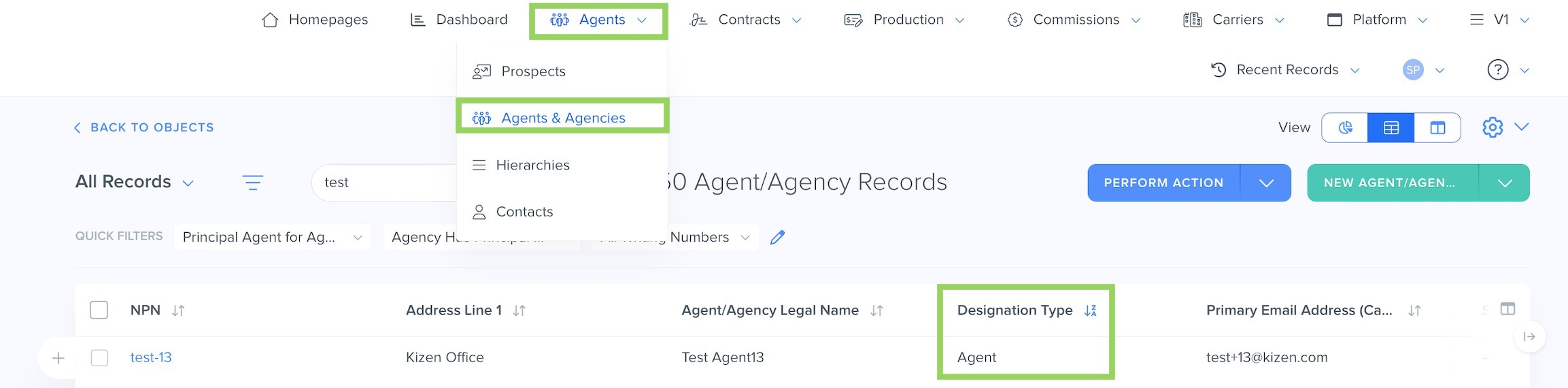
- Click on the hyperlinked NPN to open the Agent record. (Make sure their "Principal Agent for Agency (Agency Only)" field is blank.)
- Click on "Log Activity" on the top right of the Agent record and search for and select "*Existing Agent - Add As Principal to Agency (or Create)" in the dropdown menu.
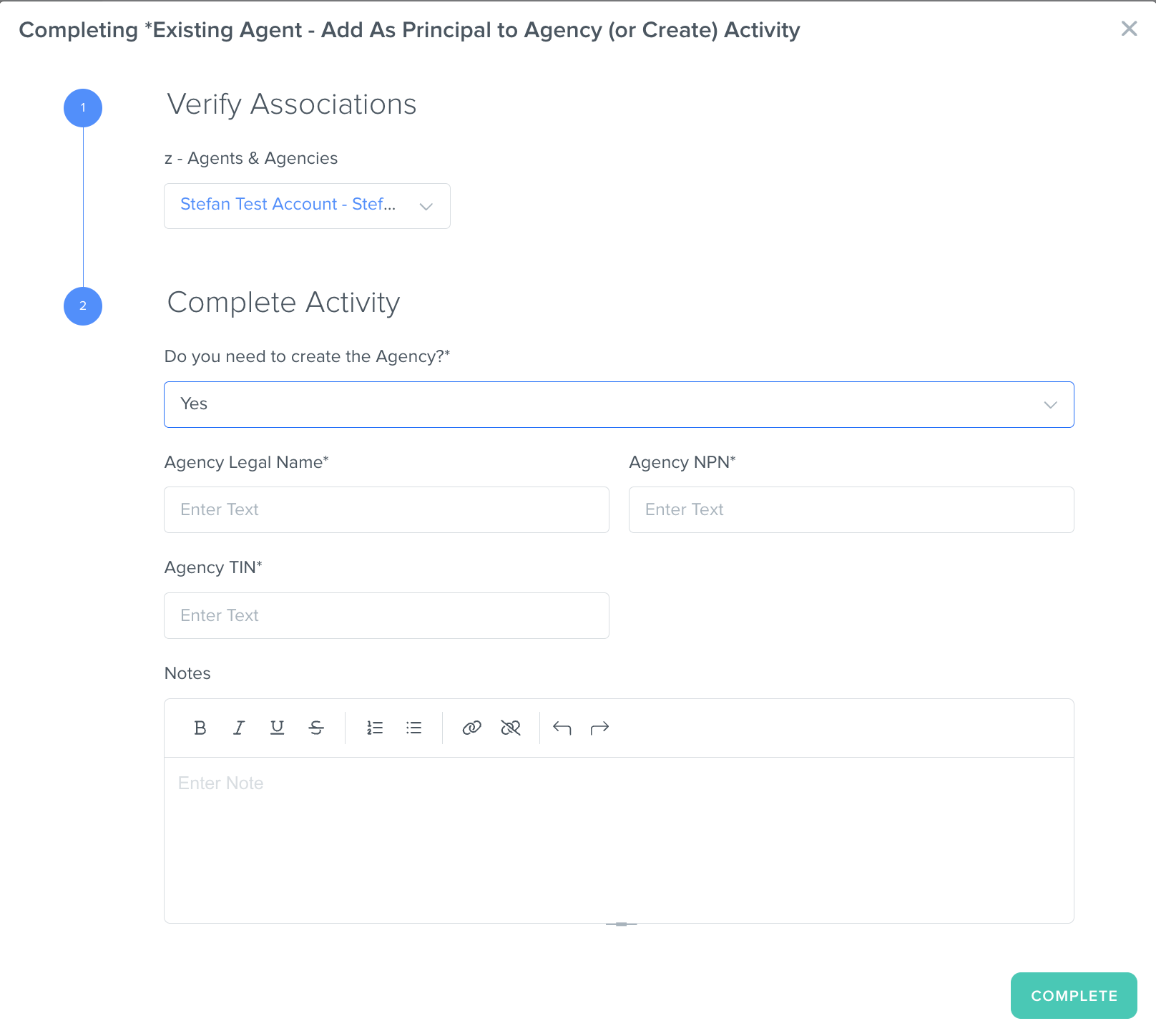
- In the pop-up window, fill out the "Do you need to create the Agency?*" field:
- If you need to create a completely new Agency, select "Yes" and fill out the Agency Legal Name, Agency NPN, and Agency TIN fields. This will create a new Agency record with these details.
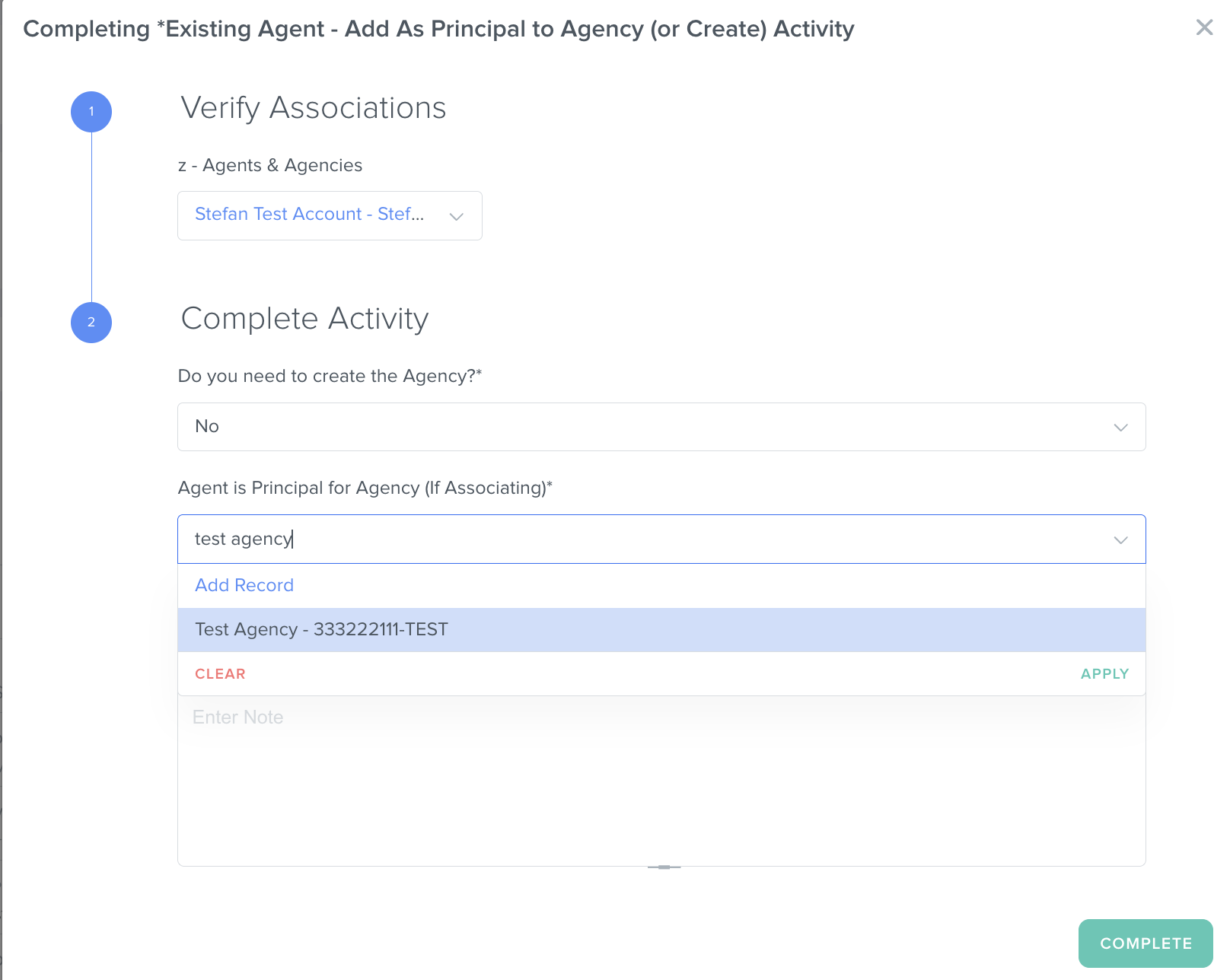
- If the Agency record already exists in your *Agents & Agencies object, select "No" and search for the existing Agency name in the "Agent is Principal for Agency (If Associating)*" field.
- If you need to create a completely new Agency, select "Yes" and fill out the Agency Legal Name, Agency NPN, and Agency TIN fields. This will create a new Agency record with these details.
- Click on the "Complete" button to finish logging the Activity.
✅ Success Indicator: The new Agency will now appear in the "Principal Agent for Agency (Agencies Only)" field under the "Marketing & Production" category of the Agent record.
Related Articles
- Contracting CoPilot: How to Update an Existing Agency's Principal Agent
- Contracting CoPilot: How to Set the Agent/Agency Designation Type
- [Contracting CoPilot] How to Find the Principal Agent(s) on a Contract
- Contracting CoPilot: How to Update an Agent or Agency's Email Address
Still Need Help?
If you encounter any issues, contact support@kizen.com.
Was this article helpful?
That’s Great!
Thank you for your feedback
Sorry! We couldn't be helpful
Thank you for your feedback
Feedback sent
We appreciate your effort and will try to fix the article