Purpose: Learn how to request a new health insurance carrier to be added to your account's Contracting CoPilot workflow, using the Kizen Carrier Intake Form.
The Contracting CoPilot workflow allows you to easily request new health insurance carriers to be added to the Carriers object in your Kizen account for your contracts and commissions.
- Select the Homepages tab in your toolbar menu at the top of your Kizen window > Quick Actions.
- Scroll down and click on the Request a New Carrier button.
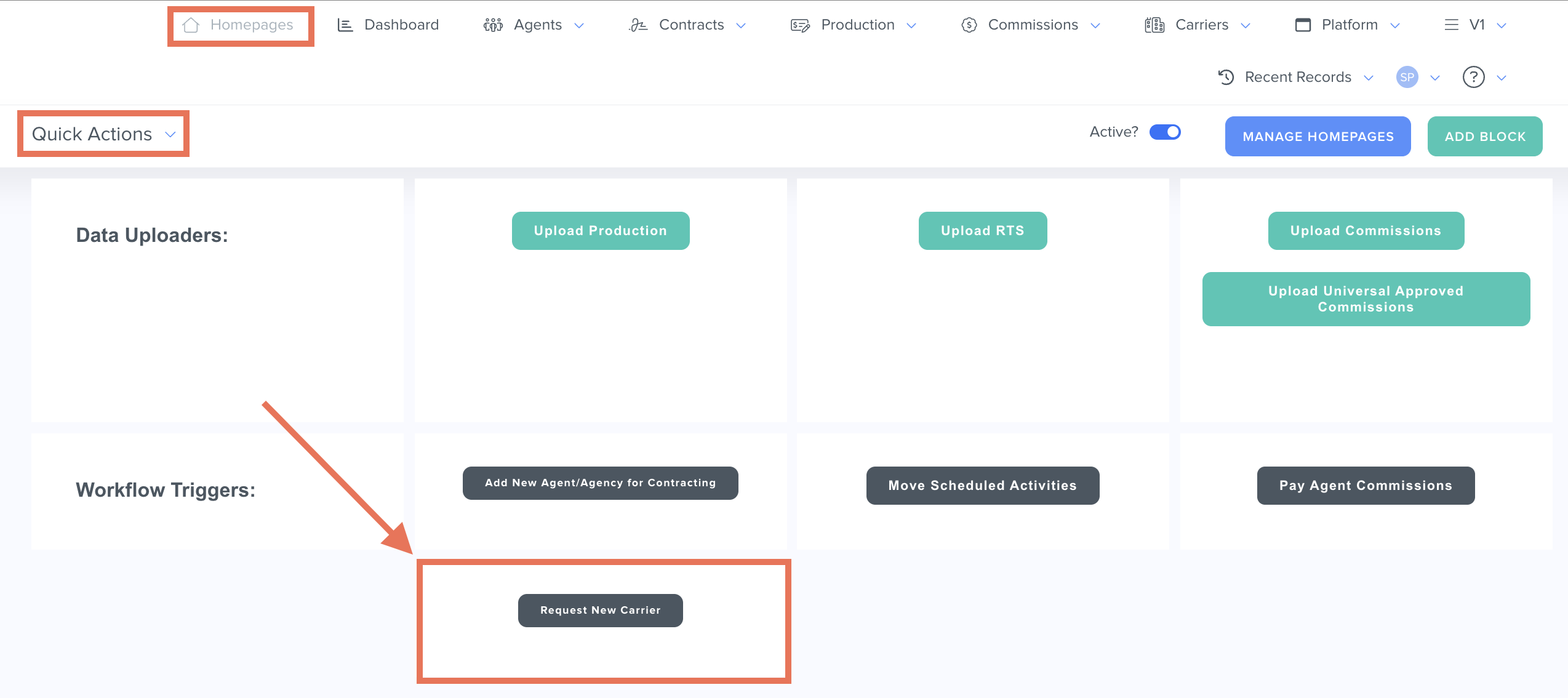
- This will open the Kizen Carrier Intake form in a new tab.
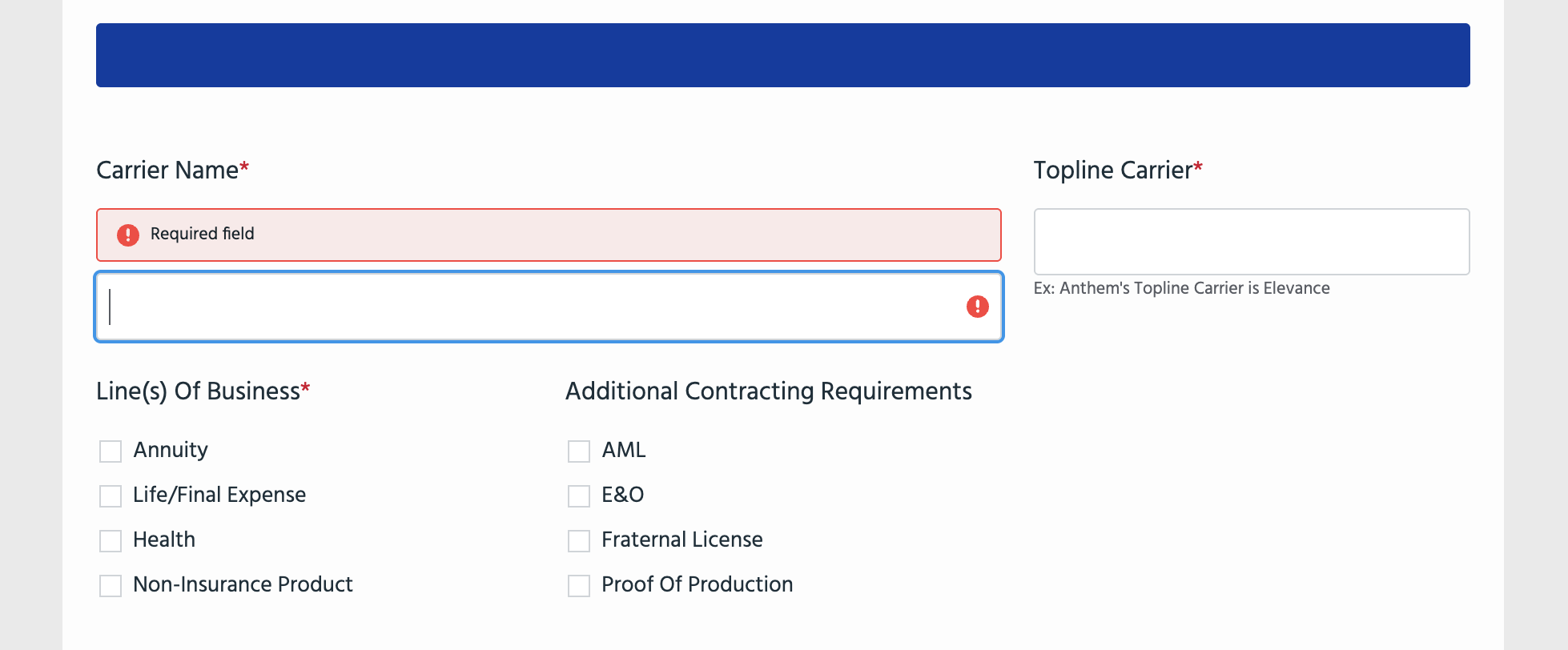
- Fill out all of the required fields in the form, as well as any additional information that is relevant to the carrier.
⚠️ Note: It's crucial that these fields are filled out completely and accurately, as the accuracy of your contracts and commissions depend on these field values. - Click on the Submit button. This will submit your request to the Kizen Support team to create the additional carrier in the Carriers object on your behalf.
Please allow up to 48 hours for our team to process each carrier addition request.
Related Articles
- Contracting CoPilot: How to Find the Principal Agent(s) on a Contract
- Contracting CoPilot: How to Request a Manual Contract in Kizen
- Contracting CoPilot: How to Find the Principal Agent(s) on a Contract
Still Need Help?
If you encounter any issues, contact support@kizen.com.
Was this article helpful?
That’s Great!
Thank you for your feedback
Sorry! We couldn't be helpful
Thank you for your feedback
Feedback sent
We appreciate your effort and will try to fix the article