Purpose: Learn all about Kizen's Agentic Workflows, and how Agentic Workflows can automate your repetitive business workflows and tasks, such as updating data records, sending your team reminders, sending your clients emails, and other complex workflows.
TABLE OF CONTENTS
- What is an Agentic Workflow?
- How Can Agentic Workflows Help You Optimize Your Business Workflow?
- What are the Components of an Agentic Workflow?
- What is an Example Use Case of an Agentic Workflow?
- Additional Resources
- Still Need Help?
What is an Agentic Workflow?
Kizen's Agentic Workflow are a powerful tool that allows you to automate the repetitive steps in your daily workflow, such as creating tasks, updating data records, sending communications, and more.
When your brain is juggling multiple tasks and deadlines, it can be tricky to keep track and stay on top of everything. Agentic Workflows allow you to streamline and automate your workflow, cutting out repetitive manual steps in your day-to-day work and therefore the risk of human error.
Whether you want to automatically receive and send reminders or organize and update records, Kizen’s Agentic Workflows can help you prevent important tasks from falling through the cracks. Leave those repetitive steps to us so that you can focus on higher-level projects that actually require your brain power!
How Can Agentic Workflows Help You Optimize Your Workflow?
By building a seamless and efficient workflow, you can save your team precious time and money. Why be overwhelmed by manually managing the little things, when you can work smarter and faster?
The possibilities are truly endless, but some examples of Agentic Workflows include:
Changing the status of a task or project
Sending emails
Following up with your leads
Reminding clients about purchase opportunities
Reminding team members, vendors, and contractors about tasks
Assigning team members
One use case may be a CRM workflow. Instead of having to manually copy, paste, and send a welcome email every time you find a new prospect, you can automate that! And you can even automatically Schedule an Activity like a scheduled client meeting and assign that task to one of your sales team members without ever having to leave the platform.
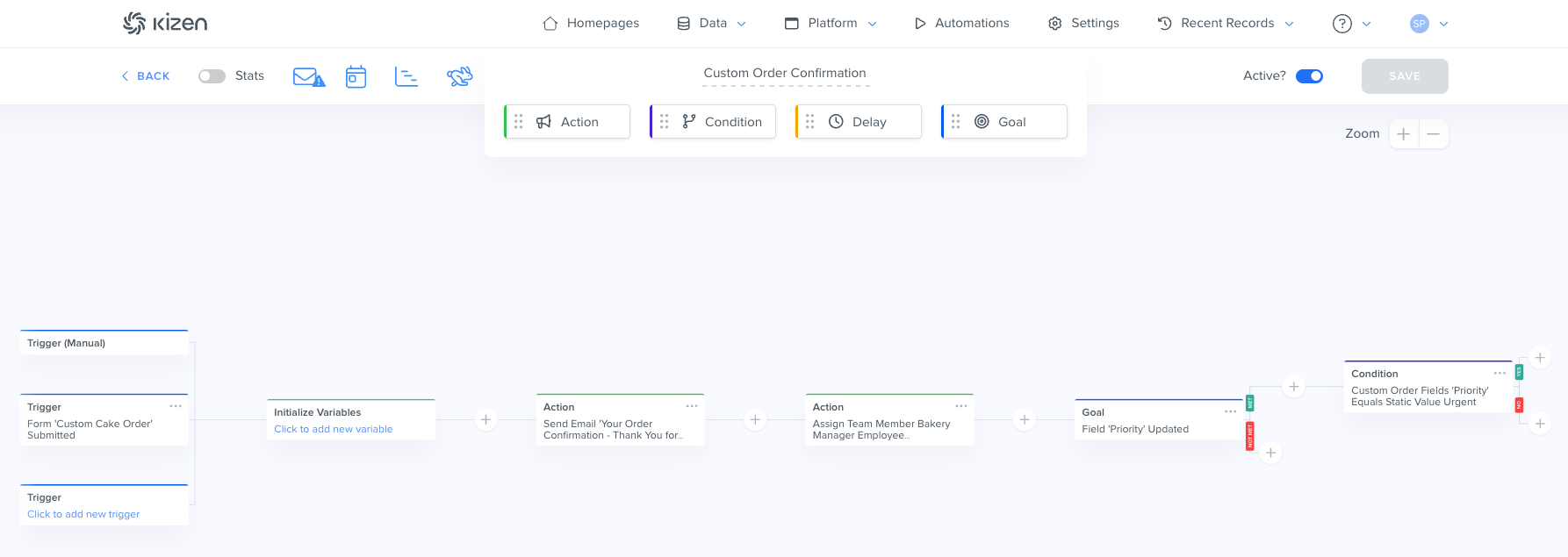
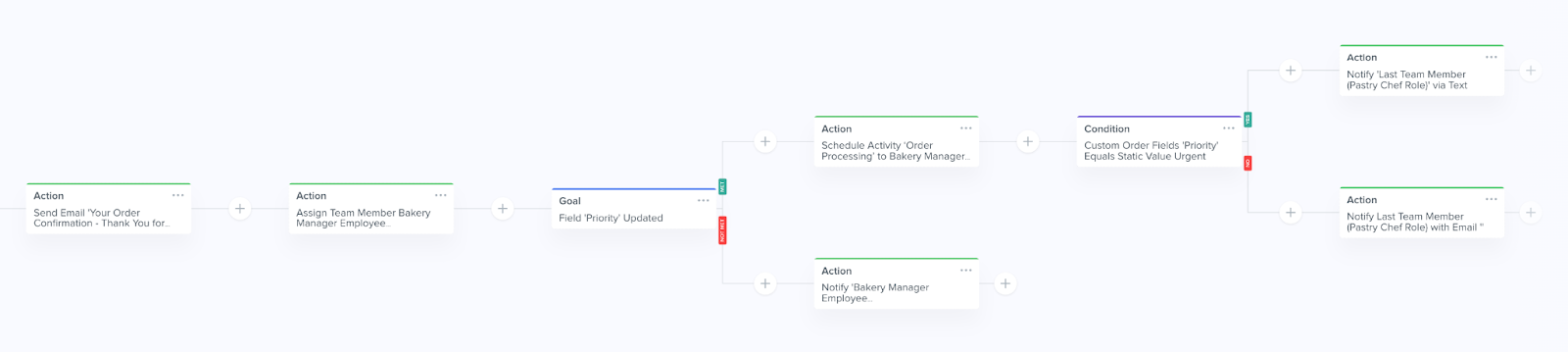
See the image below for an example of how an Agentic Workflow can be created. Next, we'll dive into these components.
What are the Components of an Agentic Workflow?
The basic components of an Agentic Workflow are a Trigger, Action, Condition, Goal, and Delay. You can also add Variables when building an Agentic Workflow.
Trigger
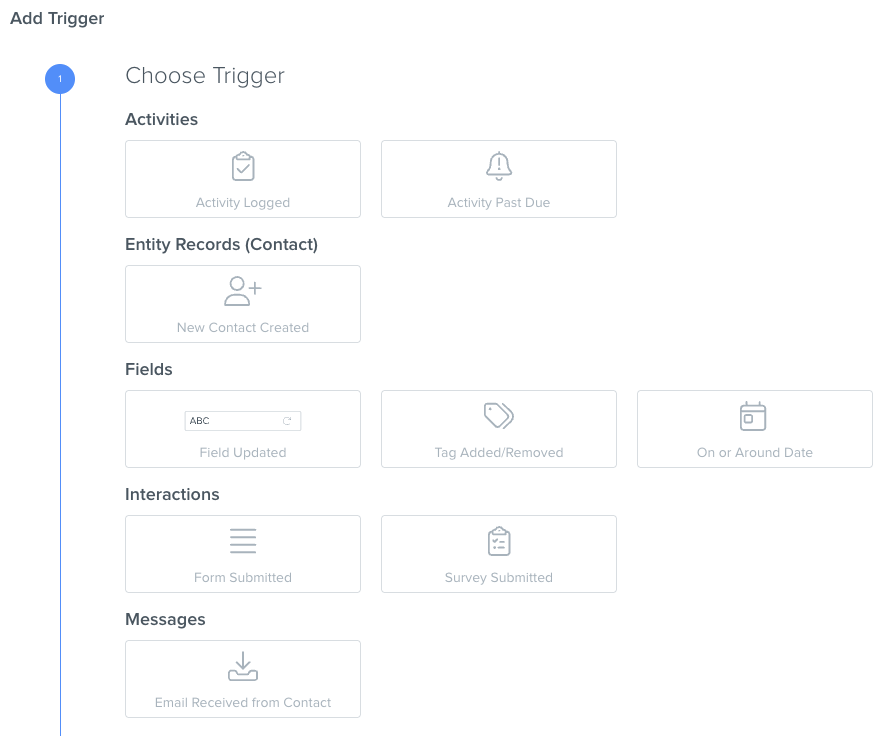
A Trigger is what kicks off the Agentic Workflow. You can either manually add a Trigger in the Agentic Workflow builder, or you can start an Agentic Workflow directly on the record (in which case you do not need to add a Trigger step in the builder).
If you are adding a Trigger step in the builder, some common Triggers might be activities being logged, contacts being created, fields or tags being updated, emails being received, or even something as simple as when a date (such as your clients’ birthdays) arrives.
Action
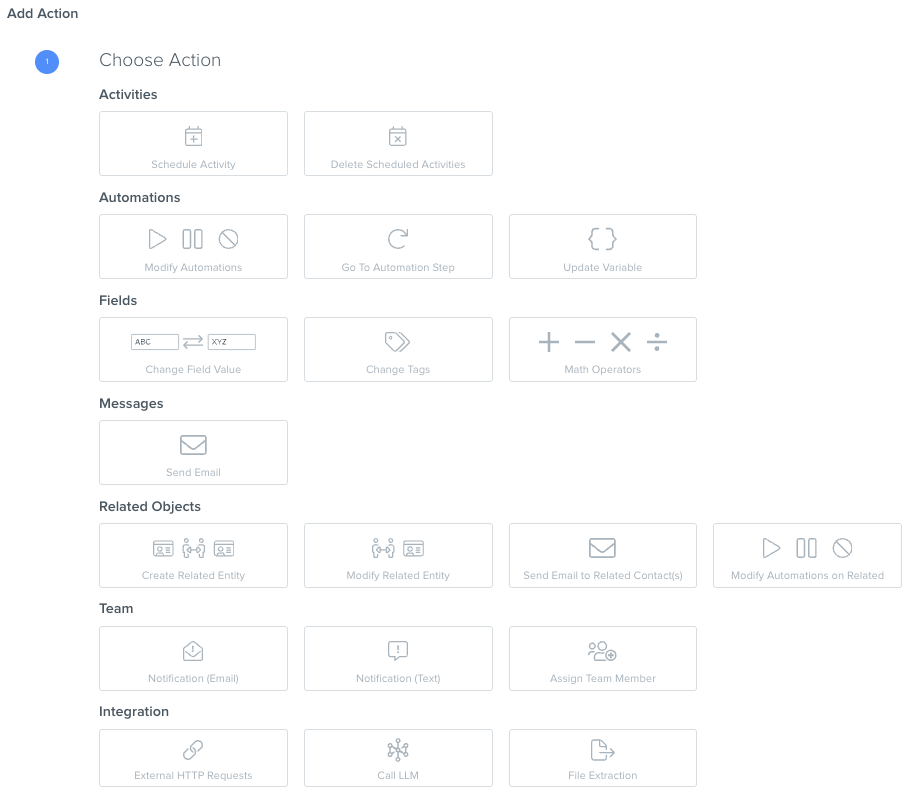
An Action is the result from the Trigger. Some common Actions include updating records, sending communications, starting and stopping Agentic Workflows, or notifying team members. For example, whenever a client’s birthday arrives, an automated birthday email with a 10% discount code gets sent to the client!
Condition
Conditions are optional criteria that you can set up to create “forks” in the path of an Agentic Workflow workflow. You might choose the Condition to be whether or not the object is in a specific Group or if the fields are equal to a specific option. If the Condition criteria is met, the Agentic Workflow will proceed down the "Yes" path; if the Condition criteria is not met, the Agentic Workflow will proceed down the "No" path.
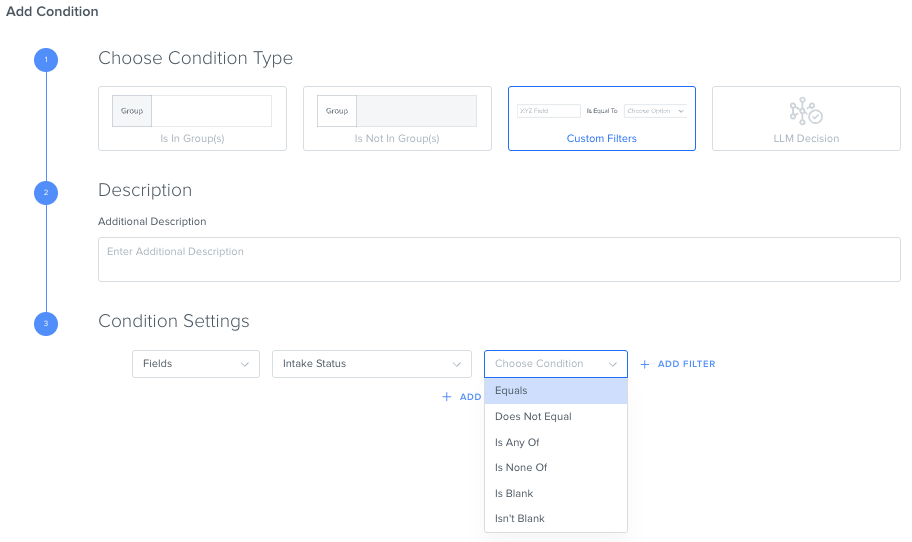
For example, perhaps you only want to send an email to “Canceled” clients advertising a promotional period. You can add the Condition that if a contact’s “Status” field equals “Canceled”, the Agentic Workflow proceeds to send that email. Lucky them!
Goal
Like Triggers, Goals need to be met in order for the Agentic Workflow to proceed. When you add a Goal, the Agentic Workflow will wait until something happens and won't proceed until the Goal step is completed. Goals have similar options to Triggers, e.g. when an activity is logged, when a field is updated, etc., but they have two resulting states: Goal Met or Goal Not Met.
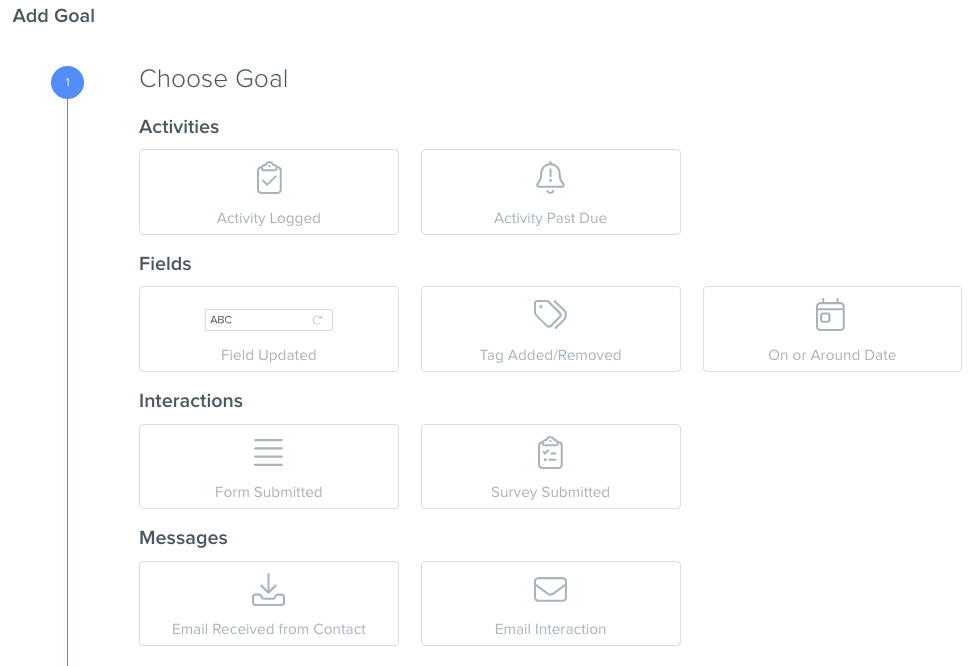
Note: If multiple criteria are needed, you can set up additional Goals.
Delay
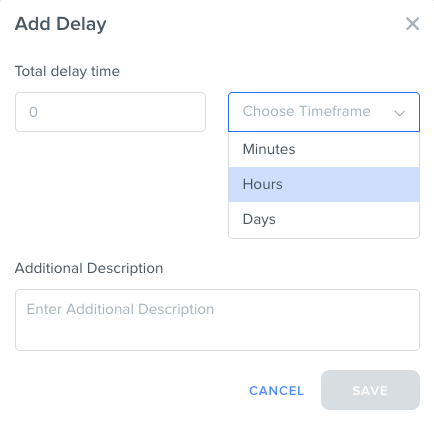
Delays are steps in an Agentic Workflow that allow you to control when the next step occurs. For example, a common Delay is waiting 24 hours after a contact has received an email with a call-to-action, before sending them a follow up email.
Variable
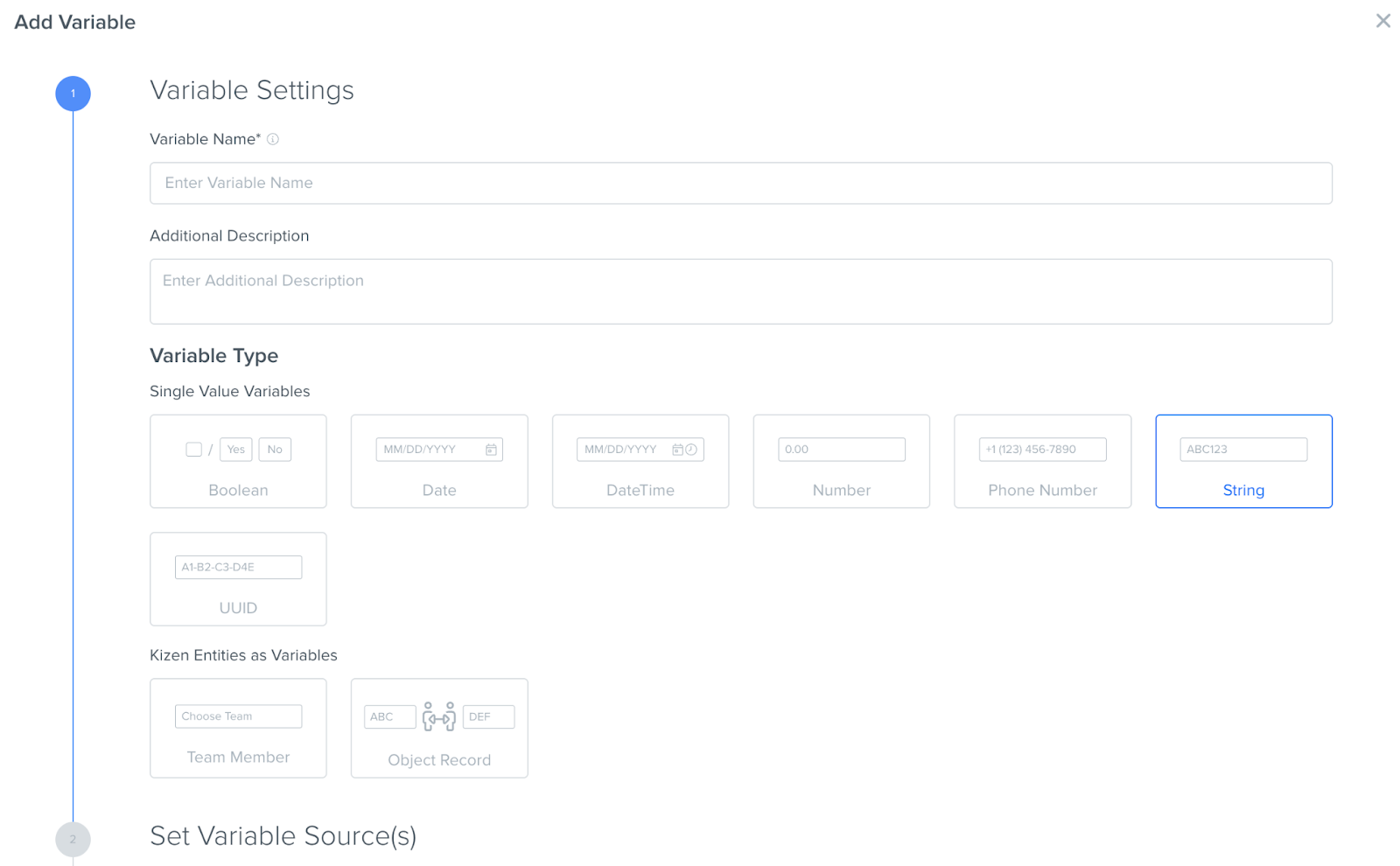
When you want to automatically add values to your fields, you can add Variables to your Agentic Workflow. Variable types can be boolean (yes/no), date, datetime, number, phone number, string, UUID (unique key to identify records), team member, or object record. Once you select a variable, you can use that value later in your Agentic Workflow, such as a “Change field” action. Variable names must be 3 characters long and must start with a letter.
What is an Example Use Case of an Agentic Workflow?
Now that you’ve got the basics, let’s dive into a specific use case so you can see just how cool Agentic Workflows are!
Let’s say we’re a bakery that needs to process custom cake orders.
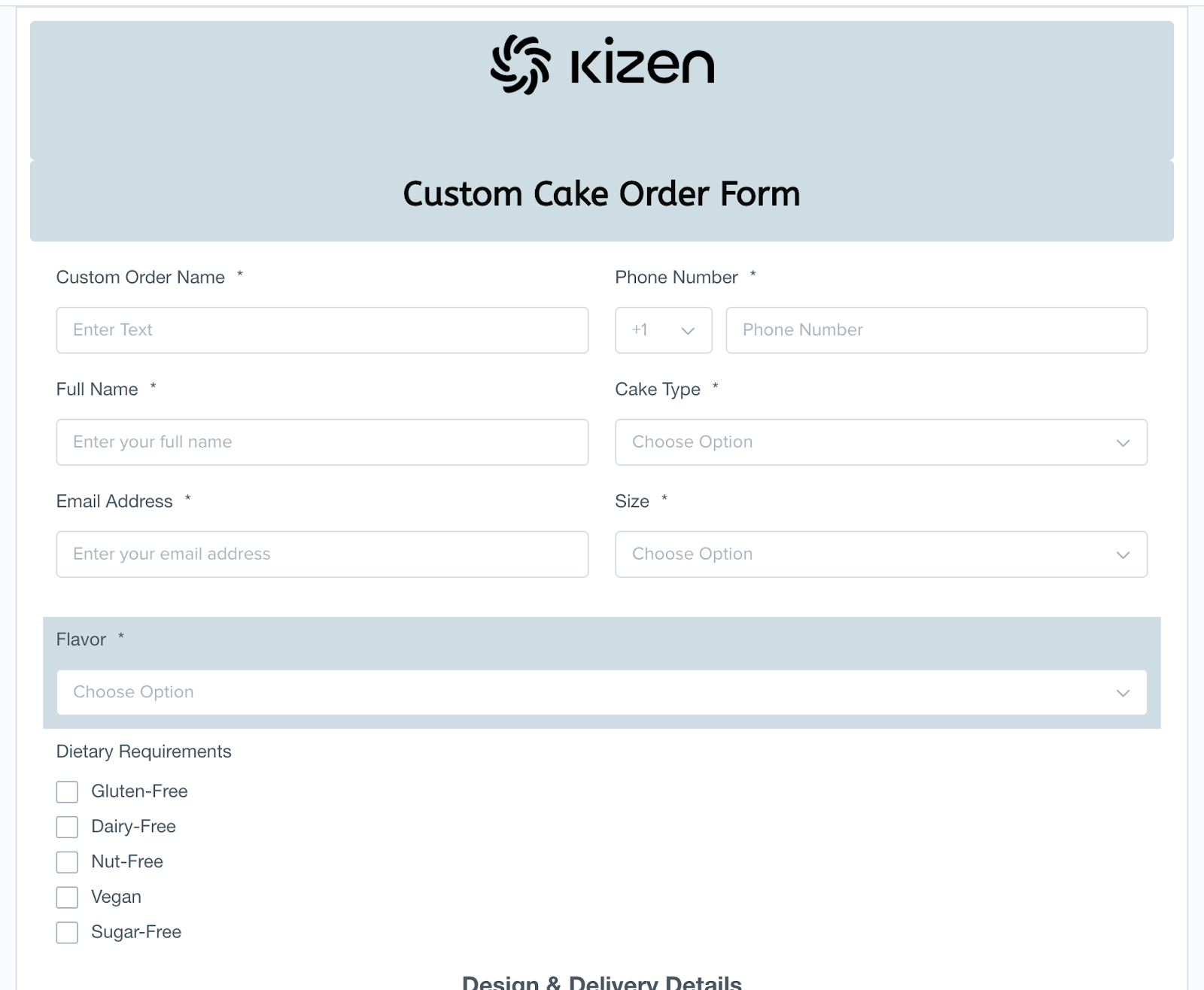
- First, our customers fill out a form with their details:
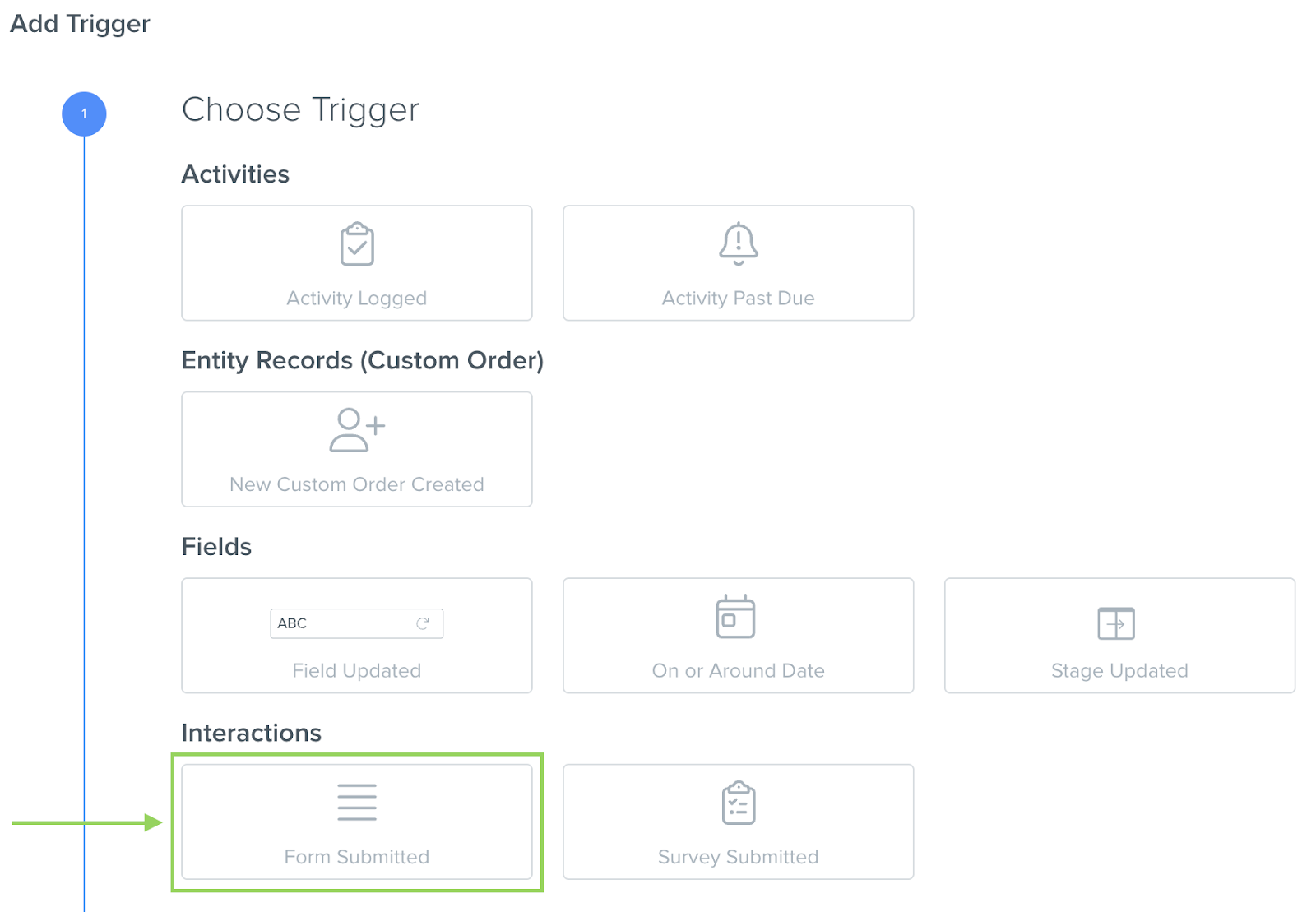
- Once the form is submitted, this Triggers an Agentic Workflow:
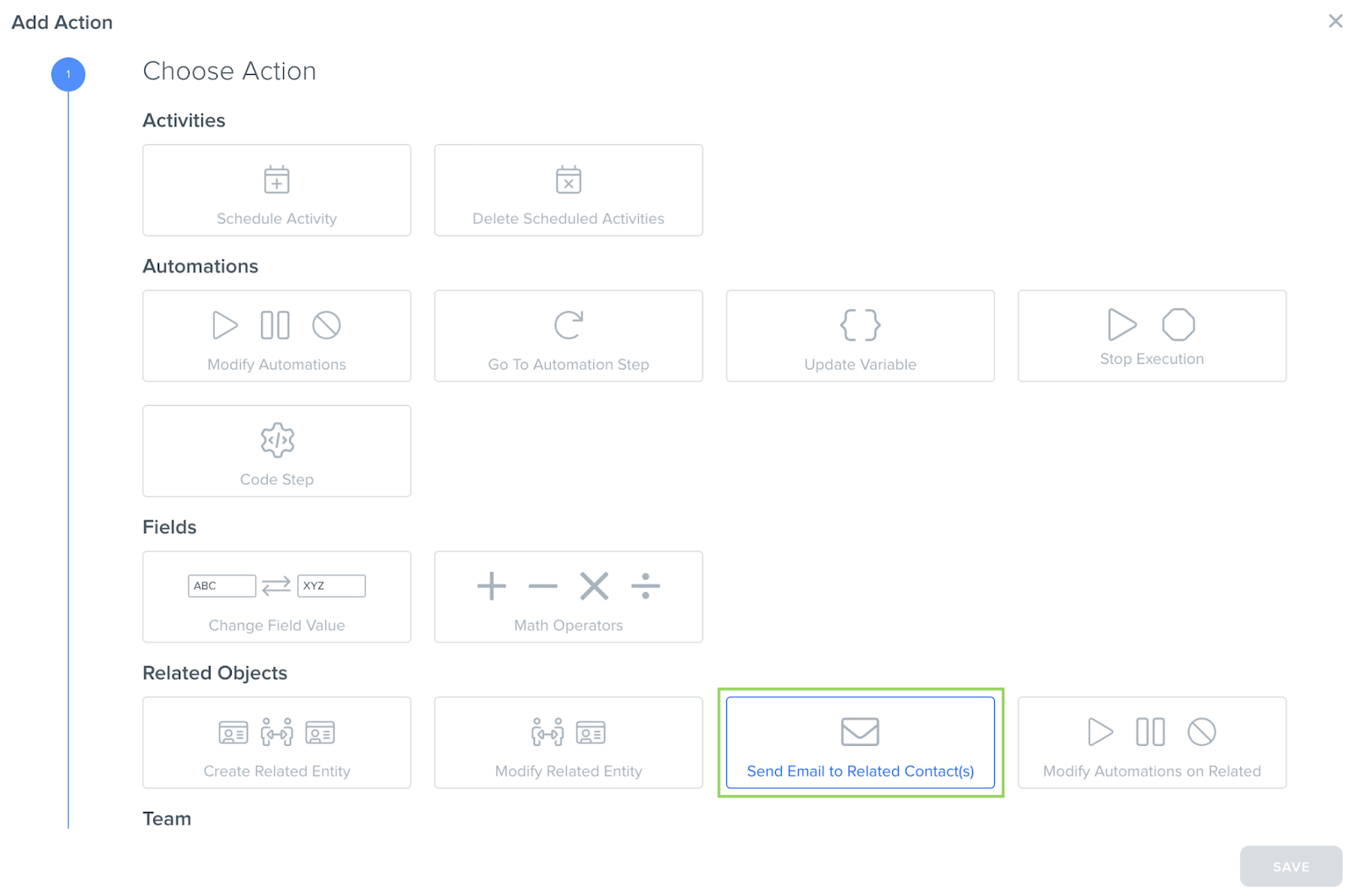
- We’ve added an Action that sends a customized email to the client, confirming that we’ve received their order:
- Then, the Agentic Workflow will Assign the Team Member as the bakery manager.
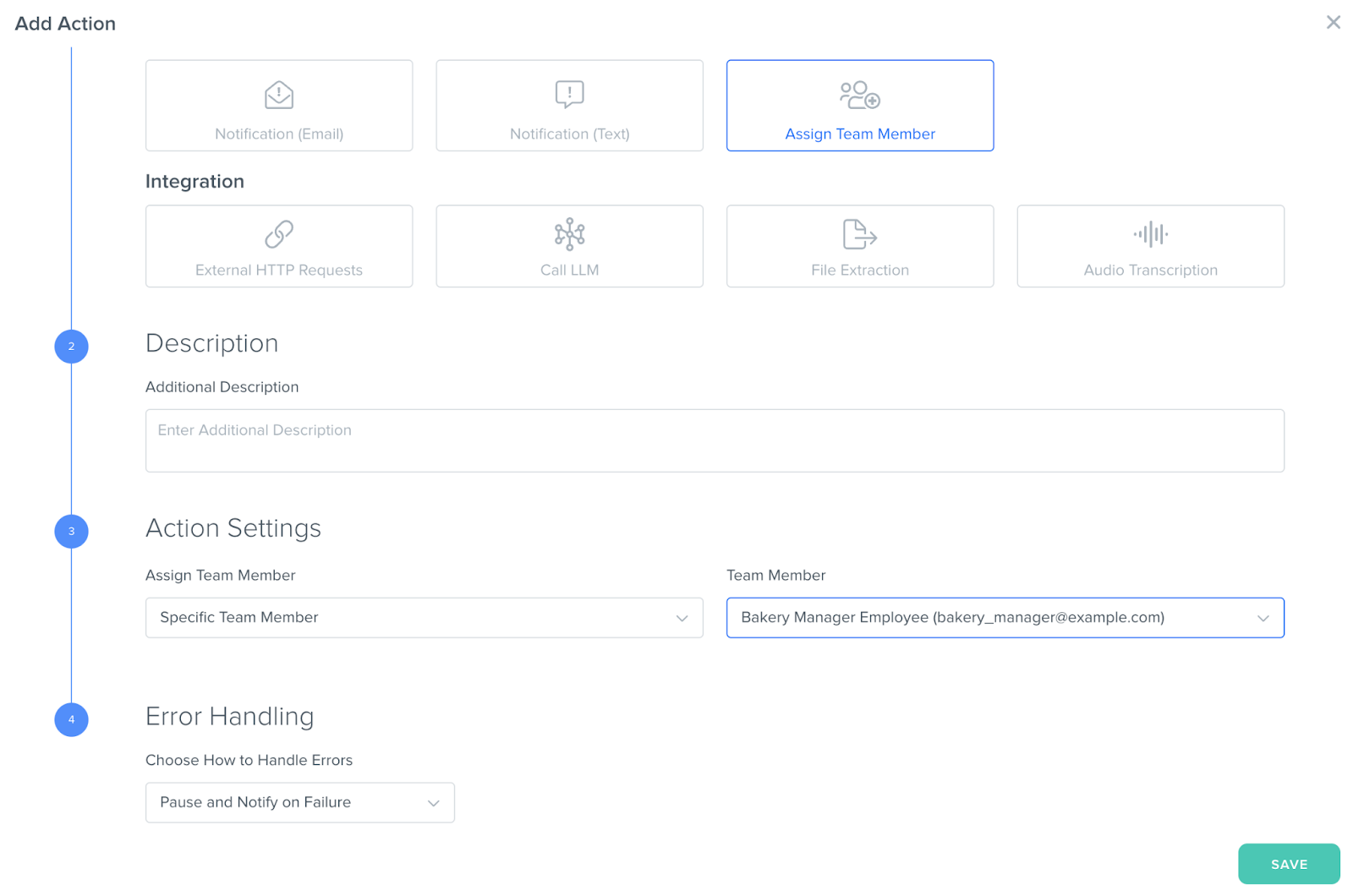
- We’ve also added a Goal that the assigned Bakery Manager must review the order and update the “Priority” field, which will then schedule the “Order Processing” Activity, and notify the Pastry Chef by text if it’s an Urgent request, or by email if it’s a lower priority request.
No matter what your use case, you can absolutely apply these concepts and get even more creative as you build your own Agentic Workflows workflow!
Additional Resources
Still Need Help?
If you encounter any issues, contact support@kizen.com.
Was this article helpful?
That’s Great!
Thank you for your feedback
Sorry! We couldn't be helpful
Thank you for your feedback
Feedback sent
We appreciate your effort and will try to fix the article