Purpose: Customize the design of your email by adding a background image to a Section
To add a Background Image to your Email, navigate to your email builder and follow the steps below:
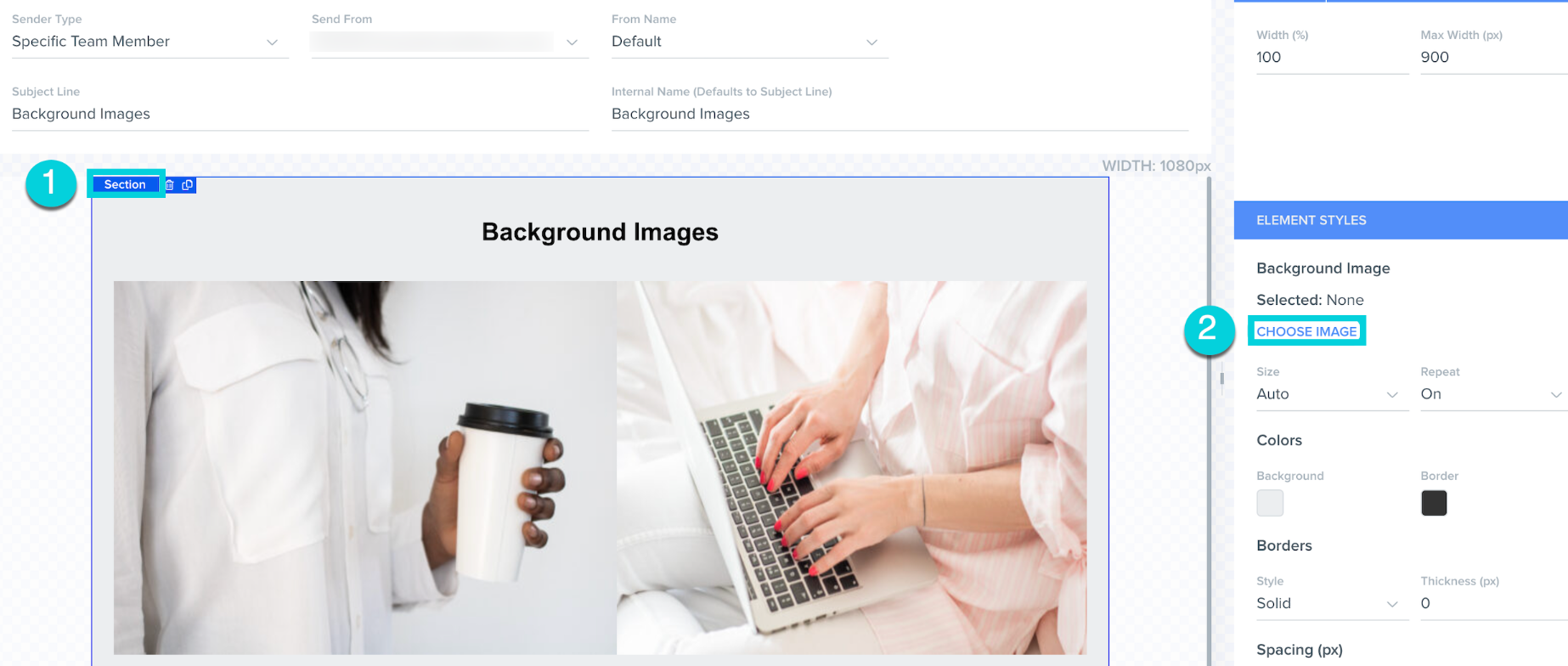
1. Click on Section
2. Navigate to Elements Styles and click Choose Image in the right hand bar that populates
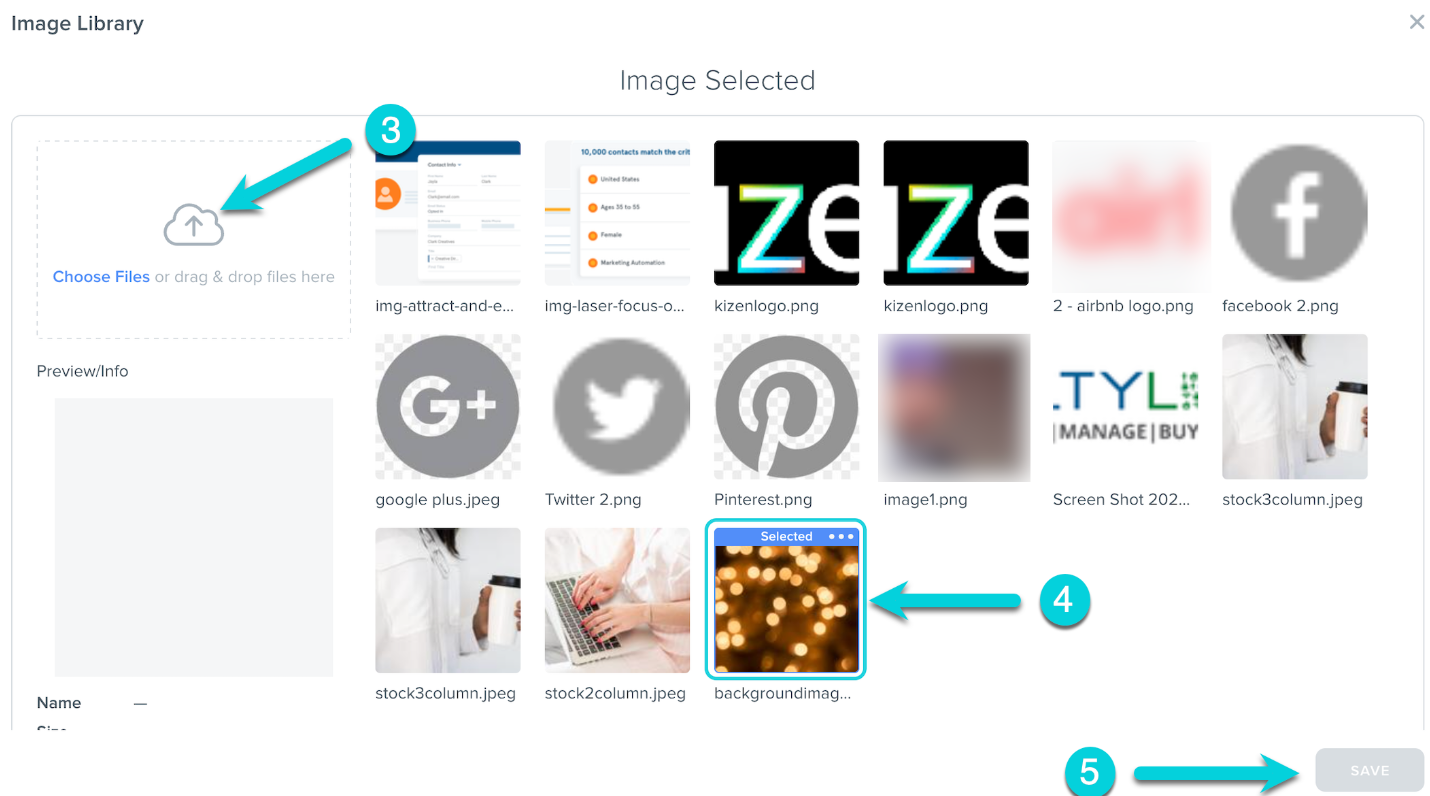
3. Click Choose Files or drag & drop an image or
4. Select a previously uploaded image
5. Click Save
Below is an example of a Section with a background image:
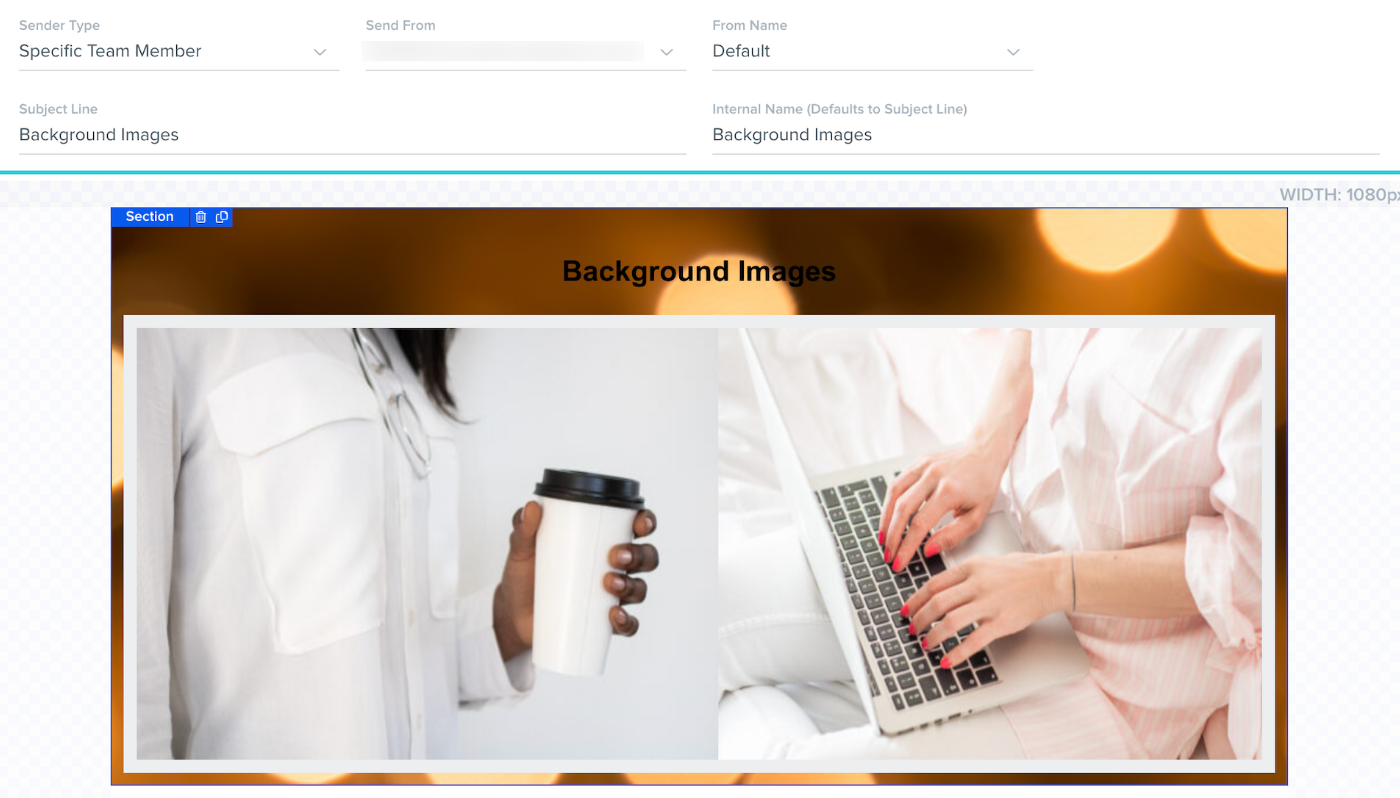
Note: The Email Builder currently supports background images only for Sections
Was this article helpful?
That’s Great!
Thank you for your feedback
Sorry! We couldn't be helpful
Thank you for your feedback
Feedback sent
We appreciate your effort and will try to fix the article