Difficulty: Beginner

Purpose: Follow this step-by-step guide to delete an Activity in Kizen that is outdated or no longer necessary or relevant for your team.
TABLE OF CONTENTS
How to Delete an Activity
- Click on "Platform" > "Activities."

- Type into the "Find Activities" search bar in the top left or scroll through the page for the specific Activity that you would like to edit.
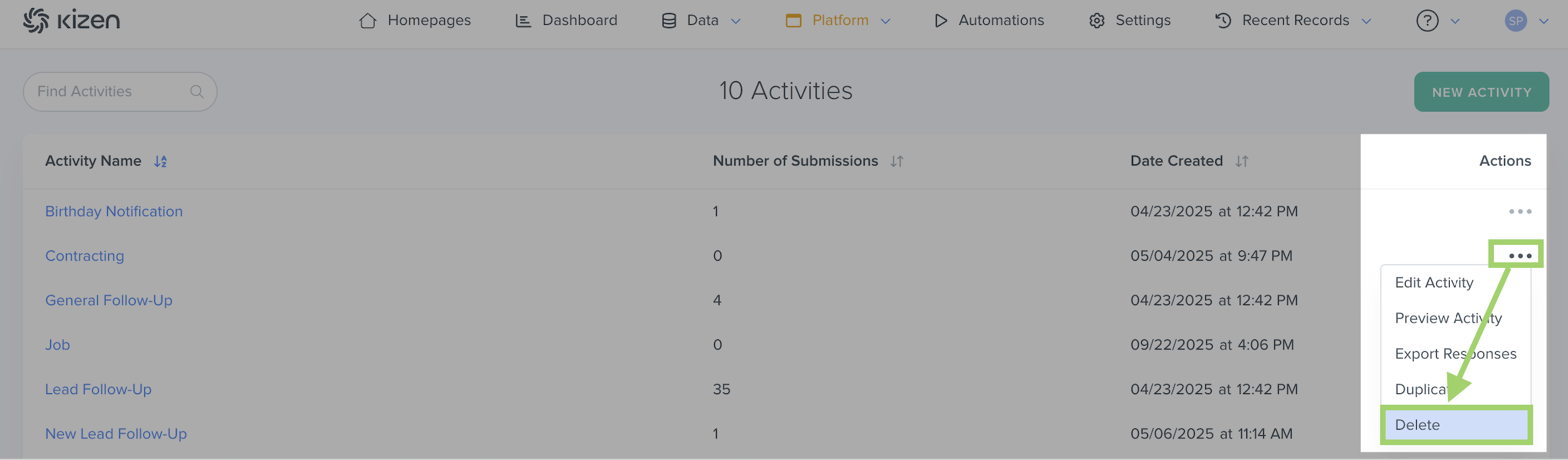
- Click on the "..." icon under the "Actions" column.
- Click on "Delete."
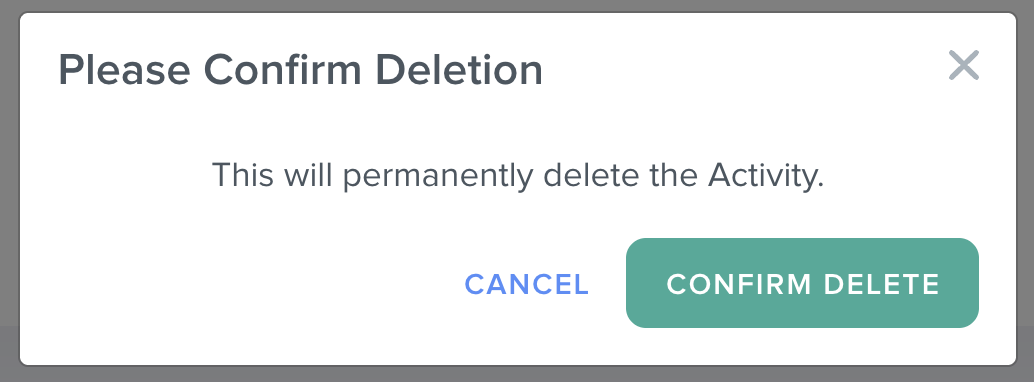
- Click on the "Confirm Delete" button to permanently delete the Activity. Once an Activity is deleted, it cannot be recovered.
Hint: You can also choose to hide an Activity from your team by clicking on "Edit Activity" in the same "..." menu, and changing the Team Sharing Settings to "NONE" so that only you can see the Activity.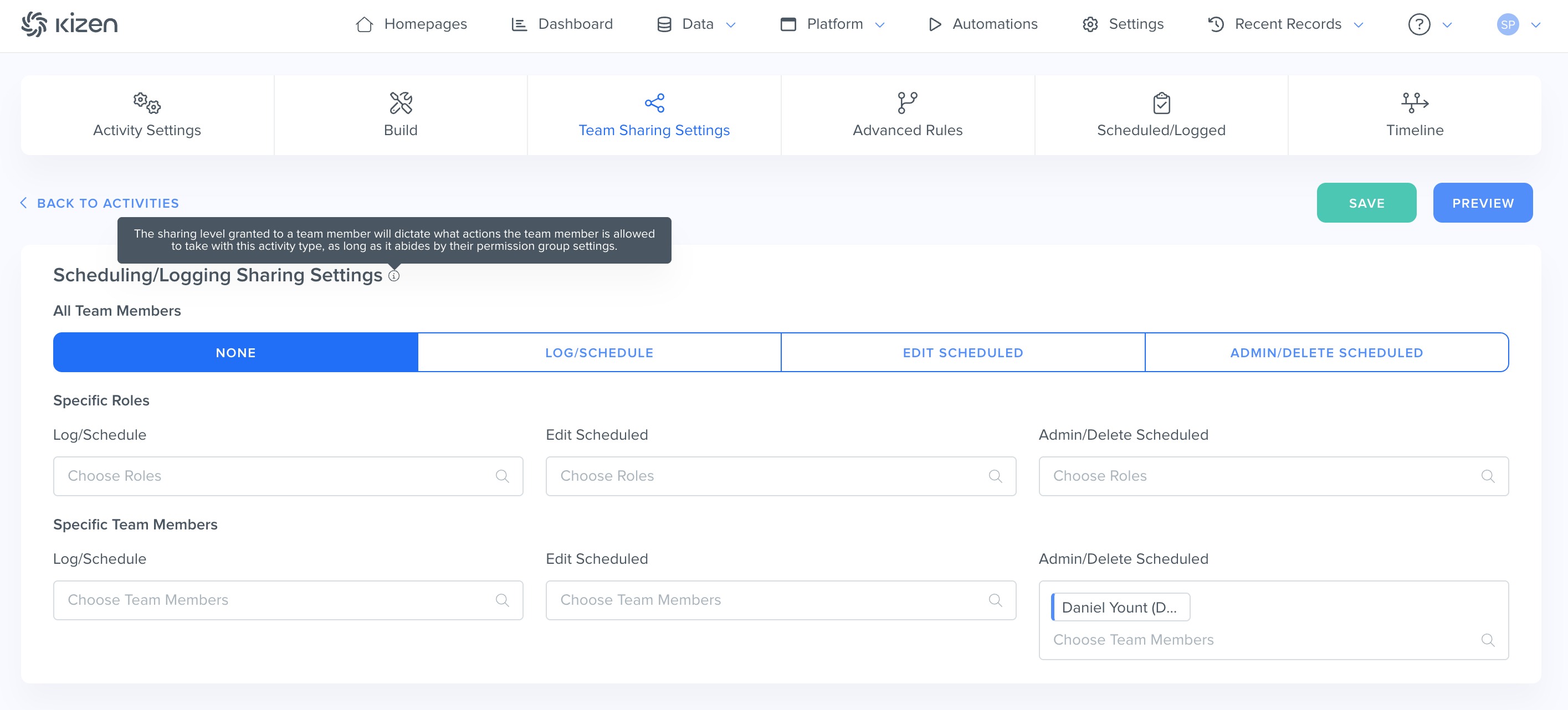
Related Articles
- Getting Started with Activities: What is An Activity?
- How to Create a Custom Activity
- Editing an Existing Activity
- Agent CRM: Default Activities Overview
Still Need Help?
- If you encounter any issues, contact support@kizen.com.
Was this article helpful?
That’s Great!
Thank you for your feedback
Sorry! We couldn't be helpful
Thank you for your feedback
Feedback sent
We appreciate your effort and will try to fix the article