Purpose: Learn about the Agent CRM "Policies" object and the most critical fields for your insurance agent needs.
TABLE OF CONTENTS
What is the "Policies" Object?
With Kizen's Agent CRM, you can easily track your clients' insurance policies directly from their Contact records. The Policies object fields are customized to track essential policy details such as stage status (from application to termination), application and effective dates, information about premiums, product types, and more!
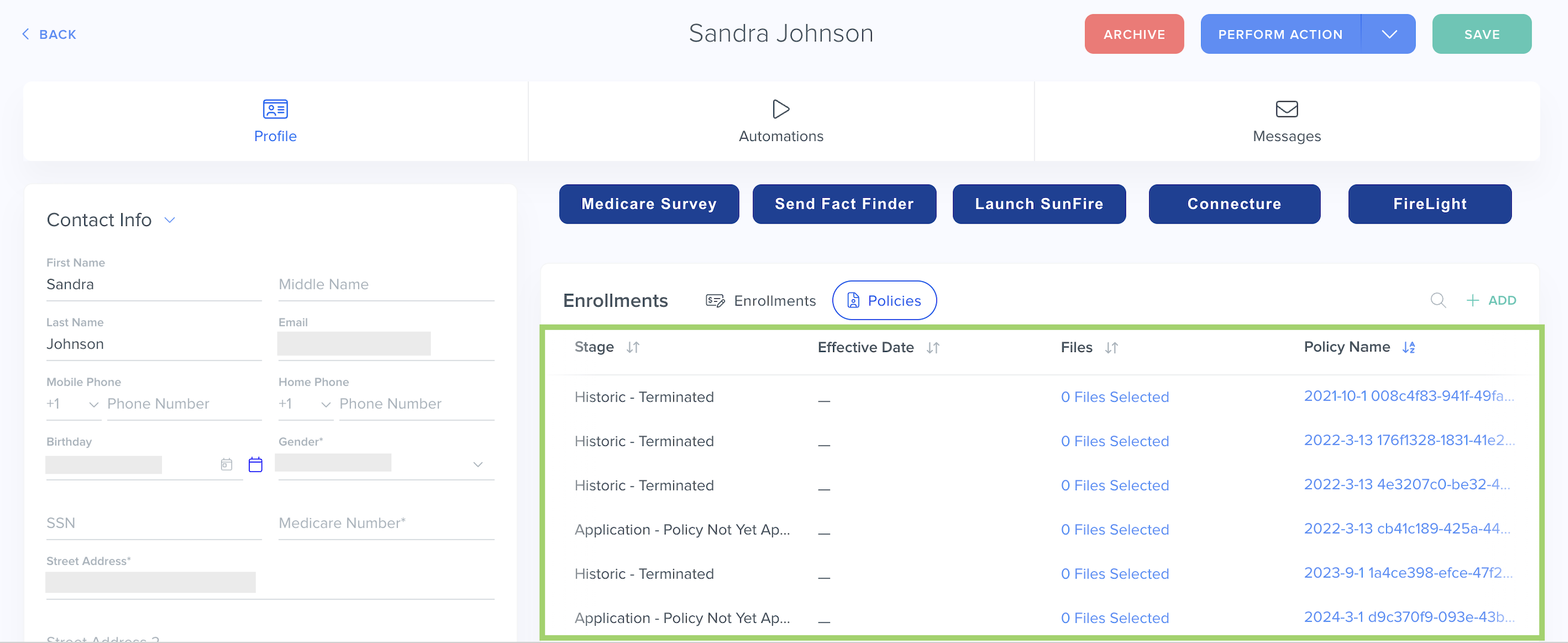
FAQ: What's the difference between the Enrollments object and the Policies object?

Enrollments are pre-policy; newly completed enrollments sync directly from an integrated enrollment platform like SunFire or Connecture to your client's Contact record.

A Policy is the actual contract or agreement between your client and the health insurance carrier; once the plan application is approved and the enrollment is processed, the beneficiary is issued a policy by the carrier.
To find your Policies object fields:
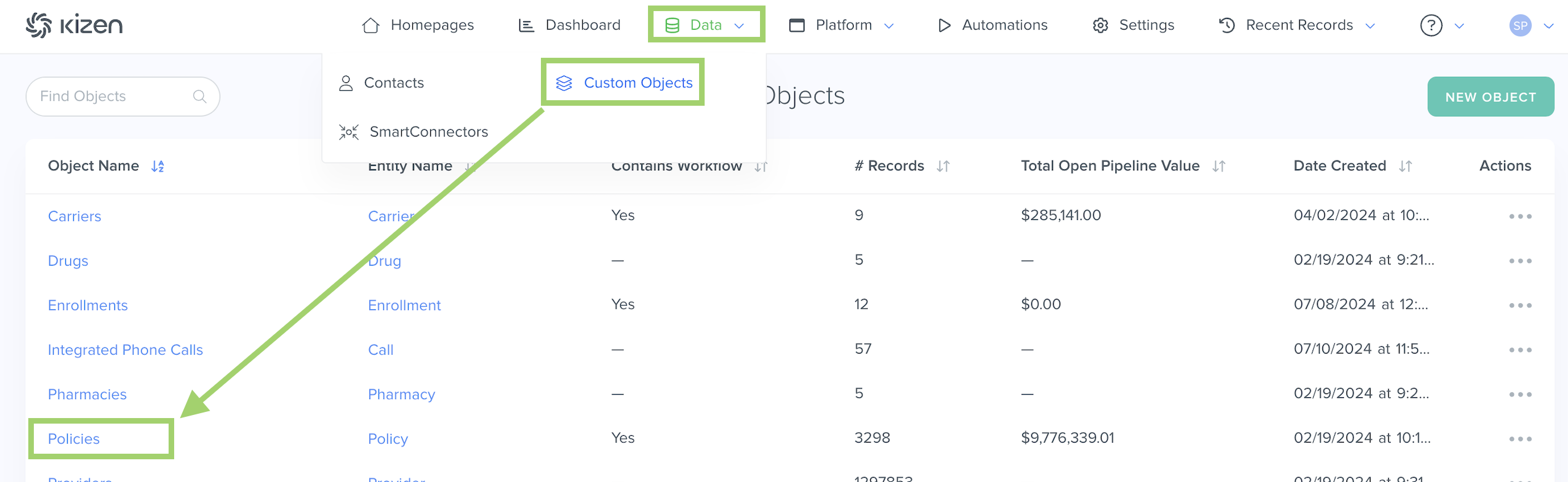
- Click on "Data" in the top menu bar > "Custom Objects" > "Policies" OR "Platform" > "Custom Objects" > "Policies" (depending on your toolbar template).
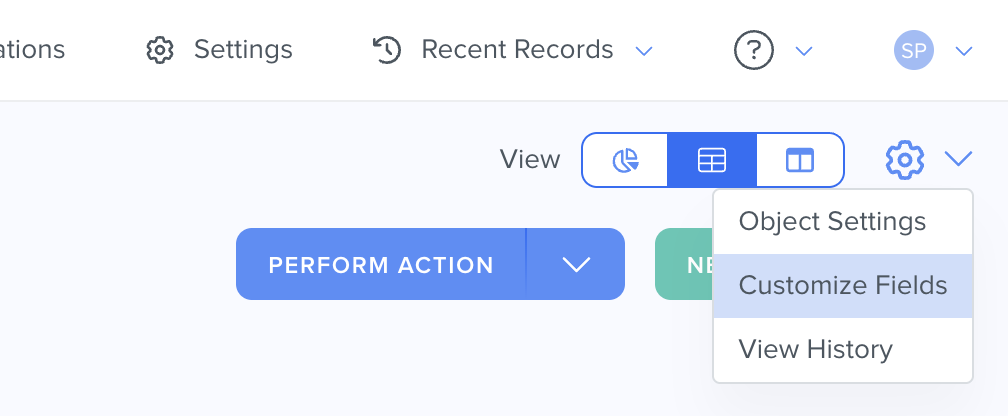
- Click on the gear icon in the top right > Customize Fields.
⚠️ Warning: It's crucial that you do not delete any Agent CRM default fields or change the field API name for any of the Agent CRM default fields, as this can potentially break integration configurations.What Are the "Policies" Fields?
See below for a list of all of the fields that come in the pre-built Policies object and some important things to consider for your Agent CRM workflow.
| Field Name | Field API Name | Field Type | Field Options | Notes |
| Policy Name | name | text | The Policy Name field is the unique identifier for the Policies object. No two Policies can have the same name. | |
| Stage | stage | dropdown | Active - First Year Active - Renewal Future - Staged Policy Change Needs Review - Policy Hold Application - Policy Not Yet Approved Historic - Policy Was Changed Historic - Terminated | The Stage field displays the current stage of the insurance policy. |
| Carrier | carrier | relationship | The Carrier field displays the related health insurance Carrier record associated with the policy. | |
| Member Name | primary_contact | relationship | The Member Name field is a Relationship field to display the Contact who is the beneficiary of the insurance policy. When uploading Policies via csv file, the Member Name field must be formatted as the Contact's email address in order to accurately match with an existing Contact or create a new Contact. | |
| Medicare ID/HICN | medicare_idhicn | text | The Medicare ID/HICN Text field displays the beneficiary's Medicare Number, aka the MBI (Medicare Beneficiary Identifier) or the Medicare Health Insurance Claim Number (HICN). | |
| Writing Agent/Agency (Name) | writing_agentagency _name | text | The Writing Agent/Agency field displays the agent who sold the insurance policy. | |
| Writing Agent NPN | writing_agent_npn | text | The Writing Agent NPN displays the Agent National Producer Number (a unique identification number assigned to licensed insurance agents) of the agent who sold the insurance policy. | |
| Plan Name | plan_name | dynamictags | Aetna HC100 - X1 | The Plan Name field is a Dynamic Tags field that displays the insurance plan name. |
| Policy Value | entity_value | money | The Policy Value field displays the monetary value associated with the specific policy. | |
| Product | product | dynamictags | MA | The Product field is a Dynamic Tags field to display the policy's specific insurance product. For example: Life insurance, MA (a.k.a. Medicare Advantage), or MSUP (Medicare Supplement) |
| Product Detail | product_detail_1 | dynamictags | C-SNP D-SNP HMO I-SNP PPO SCO | The Product Detail field displays the exact insurance plan subtype or model. |
| Policy Type | policy_type | dropdown | New Policy (Original) Plan Change Carry-Over Agent of Record Change | The Policy Type field displays whether it's a completely new policy or updated policy. |
| Plan Benefit Package (PBP) | plan_benefit _package_pbp | dynamictags | The Plan Benefit Package is a set of benefits for a defined MA or PDP service area. The PBP is represented by a number and has a different value depending on the carrier. | |
| Line Of Business | line_of_business | dynamictags | Annuity Final Expense Life MA | The Line of Business field displays the different types of insurance products the carrier provides. |
| Policy Created Date | policy_created_date | date | The Policy Created Date displays the date the policy was created. | |
| Term Date | term_date | date | The Termination Date field displays when the coverage under the policy ends. | |
| Lives | lives | integer | The Lives field displays the number of individuals covered by the policy. | |
| Files | files_1 | files | ||
| Application Date | application_date | date | The Application Date displays when the beneficiary applied for the policy. | |
| Application Number | application_number | text | The Application Number field displays the unique identification number assigned to each individual's policy application. | |
| Enrollment Platform | enrollment_platform | dropdown | Connecture Sunfire Carrier Website Hexure | The Enrollment Platform displays the 3rd party platform in which the policy was enrolled. |
| Signed Date | signed_date | date | The Signed Date field displays the date the policy was signed. | |
| Original Effective Date | effective_date | date | The Original Effective Date field displays when the policy goes into effect. | |
| Termination Date | termination_date | date | The Termination Date field displays when the coverage under the policy ends. | |
| Termination Reason | termination_reason | longtext | The Termination Reason field displays the cause or event that led to the end of coverage under the policy. | |
| Last Modified | updated | datetime | The Last Modified field displays the most recent date and time that the record was updated. | |
| Date Created | created | datetime | The Date Created field is the date and time the call record was logged. | |
| Owner | owner | team_selector | ||
| Reasons Disqualified | reasons_disqualified | dynamictags | Application Denied Client Decided To Not Enroll | The Reasons Disqualified field displays why a lead, prospect, or applicant was disqualified from moving forward in the policy. |
| Estimated Close Date | estimated_close _date | date | The Estimated Close Date displays when the policy is expected to be completed. | |
| Actual Close Date | actual_close_date | datetime | The Actual Close Date displays when the policy is actually completed. | |
| Reasons Lost | reasons_lost | dynamictags | Did Not Pay Premium Member Passed Away Switched Plans | The Reasons Lost field displays why the policy was not completed. |
| Payment Method | payment_method | dropdown | Electronic Fund Transfer Credit Card Direct Bill SS Deduction | The Payment Method field displays how the beneficiary pays for the policy premium. |
| Pay Frequency | pay_frequency | dropdown | One-Time Annually Quarterly Monthly | The Pay Frequency field displays how often the beneficiary makes payments for the policy premium. |
| Premium | premium | money | The Premium field displays the amount of money the beneficiary pays to the insurance company or government agency in exchange for coverage under the policy. | |
| Display Name | display_name | text | The Display Name field is a read-only field that displays the name of the record. | |
| CMS Contract Number | cms_contract _number | text | The CMS Contract Number is unique identification number assigned by the Centers for Medicare & Medicaid Services to a health plan, specific to the plan type. | |
| FMO Policy ID | fmo_policy_id | text | The FMO Policy ID field displays the unique identifier in the FMO account to sync sold policies to your Agent CRM. |
Related
- Upload Your Contacts Into Agent CRM
- Add a New Custom Field
- Agent CRM: "Contacts" Object Overview
- Agent CRM: "Enrollments" Object Overview
- Agent CRM: "Carriers" Object Overview
Need Help?
If you encounter any issues or have additional questions, reach out to support@kizen.com.
Was this article helpful?
That’s Great!
Thank you for your feedback
Sorry! We couldn't be helpful
Thank you for your feedback
Feedback sent
We appreciate your effort and will try to fix the article